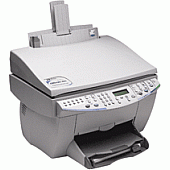





HP OfficeJet G95 Multifunction Printers Supplies

Ads

HP OfficeJet G95 Black Ink Cartridges

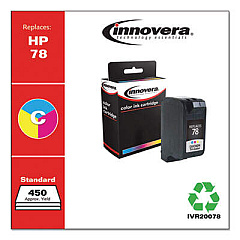
HP OfficeJet G95 Color Ink Cartridges

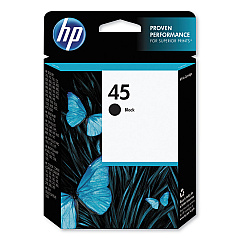
Ensure your HP OfficeJet G95 printer continues to deliver exceptional print quality with genuine HP OfficeJet G95 Ink Cartridges. These high-performance cartridges are specifically designed for optimal compatibility and reliability with your G95 model. The HP 45 Black Ink Cartridge (51645A) is a key component, providing crisp, clear text and sharp graphics for all your professional documents. Whether you're printing important business reports, educational materials, or healthcare records, these cartridges offer consistent, fade-resistant results. With a focus on efficiency and cost-effectiveness, HP OfficeJet G95 Ink Cartridges are ideal for high-volume printing environments in offices, schools, government agencies, and wholesale operations. Trust in the superior quality and longevity of genuine HP ink to keep your OfficeJet G95 running smoothly and producing professional-grade outputs for all your printing needs.

HP OfficeJet G95 Multifunction Printers Supplies FAQs

  • How long does an HP 45 Black Ink Cartridge typically last?

    The lifespan of an HP 45 Black Ink Cartridge varies depending on usage, but it typically yields around 930 pages.

  • Are remanufactured ink cartridges compatible with the HP OfficeJet G95?

    While remanufactured cartridges may work, HP recommends using genuine HP ink cartridges for optimal performance and print quality.

  • Can I use HP 45 Black Ink Cartridges in other HP printer models?

    The HP 45 Black Ink Cartridge is compatible with various HP printer models. Check your printer's specifications to confirm compatibility.

  • How can I tell if my HP OfficeJet G95 Ink Cartridge is running low?

    Your printer's software will typically alert you when ink levels are low. You can also check ink levels through the printer's control panel.

  • What should I do if my HP OfficeJet G95 prints blank pages?

    First, check if the ink cartridge is empty or clogged. Try cleaning the print heads or replacing the cartridge if necessary.

  • Is it possible to refill HP OfficeJet G95 Ink Cartridges?

    While it's possible to refill cartridges, HP does not recommend this practice as it may affect print quality and potentially damage your printer.

  • How should I store unused HP OfficeJet G95 Ink Cartridges?

    Store cartridges in their original packaging at room temperature, away from direct sunlight and heat sources, to maintain their quality.

  • Can I use third-party ink cartridges in my HP OfficeJet G95?

    While third-party cartridges may work, using non-HP cartridges could void your printer's warranty and may result in lower print quality.

  • How do I properly install a new ink cartridge in my HP OfficeJet G95?

    Open the printer's cartridge access door, remove the old cartridge, insert the new one until it clicks into place, and close the access door. Follow on-screen prompts to complete the installation.

  • What's the shelf life of an unopened HP OfficeJet G95 Ink Cartridge?

    Unopened HP ink cartridges typically have a shelf life of 24 months from the date of manufacture when stored properly.

Warehouse Locations

Policy & Agreement | Copyright © 1995-2026 BlueDogInk.com
