









Ads

HP Color LaserJet 2600n Black Toner Cartridges

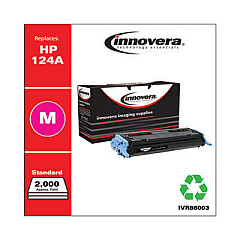
HP Color LaserJet 2600n Color Toner Cartridges

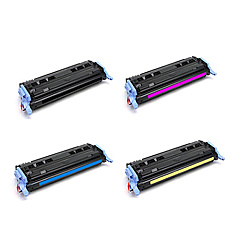
HP Color LaserJet 2600n Toner Set

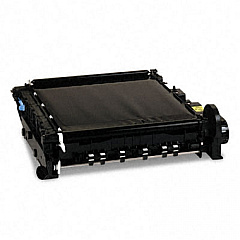
HP Color LaserJet 2600n Transfer Units

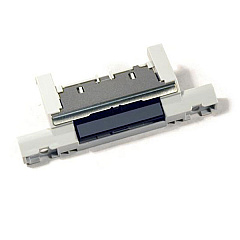
HP Color LaserJet 2600n Printer Parts

HP Color LaserJet 2600n Copy Paper

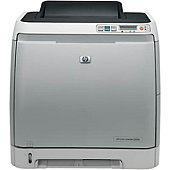
Enhance your printing experience with genuine HP Color LaserJet 2600n Toner Cartridges, designed to deliver exceptional quality and reliability. These high-performance cartridges ensure crisp text and vibrant colors for all your business, educational, or healthcare documents. Compatible with the HP Color LaserJet 2600n printer, these toner cartridges offer consistent results and optimal page yields. The range includes black, cyan, magenta, and yellow cartridges, allowing for versatile color printing options. For smooth paper handling, the HP RM1-1922 Separation Pad Assembly is an essential component that prevents multi-sheet feeding. By choosing authentic HP supplies, you'll maximize your printer's efficiency and extend its lifespan. Trust in HP Color LaserJet 2600n Toner Cartridges for professional-grade prints that make a lasting impression in any business, educational, or healthcare setting.

HP Color LaserJet 2600n Toner Cartridges FAQs

  • What is the page yield for HP Color LaserJet 2600n toner cartridges?

    The page yield varies by color. Black cartridges typically yield around 2,500 pages, while color cartridges (cyan, magenta, yellow) yield approximately 2,000 pages each.

  • Are these toner cartridges compatible with other HP printer models?

    These cartridges are specifically designed for the HP Color LaserJet 2600n printer. Always check your printer's compatibility before purchasing toner cartridges.

  • How often should I replace the HP RM1-1922 Separation Pad Assembly?

    The replacement frequency depends on usage. Generally, it's recommended to replace the separation pad assembly every 50,000 to 100,000 pages or when you notice paper feeding issues.

  • Can I use third-party or refilled toner cartridges in my HP Color LaserJet 2600n?

    While third-party cartridges may work, HP recommends using genuine HP toner cartridges for optimal print quality and to protect your printer's warranty.

  • How do I know when it's time to replace my toner cartridges?

    Your printer will display a low toner warning. You may also notice a decrease in print quality or faded prints when cartridges need replacement.

  • Are these toner cartridges environmentally friendly?

    Yes, HP offers a recycling program for used toner cartridges, helping to reduce environmental impact.

  • What's the shelf life of unopened HP Color LaserJet 2600n toner cartridges?

    Unopened toner cartridges typically have a shelf life of about 2 years when stored properly in a cool, dry place.

  • Can I replace individual color cartridges, or do I need to replace all colors at once?

    You can replace individual color cartridges as needed. There's no need to replace all colors simultaneously unless they're all depleted.

  • How do I install new toner cartridges in my HP Color LaserJet 2600n?

    Open the front cover, remove the old cartridge, and insert the new one. Make sure it clicks into place. Repeat for each color as needed.

  • What should I do if I experience print quality issues after installing new cartridges?

    Try printing a test page. If issues persist, ensure the cartridges are properly installed and run the printer's built-in calibration process. If problems continue, contact HP support.

Warehouse Locations

Policy & Agreement | Copyright © 1995-2026 BlueDogInk.com
