









Ads

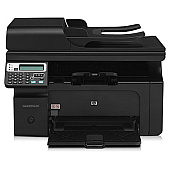
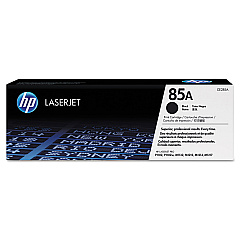
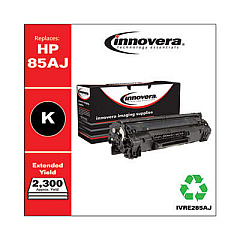
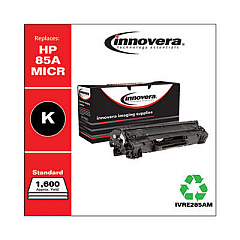
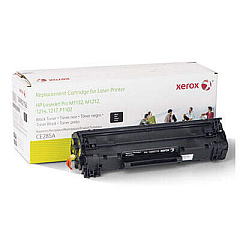
HP LaserJet Pro M1217nfw Black Toner Cartridges

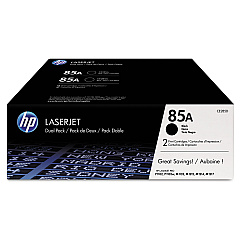
HP LaserJet Pro M1217nfw Toner Set

HP LaserJet Pro M1217nfw Copy Paper

Ensure uninterrupted productivity with genuine HP LaserJet Pro M1217nfw Toner Cartridges. These high-quality cartridges are designed specifically for your HP LaserJet Pro M1217nfw printer, delivering crisp, professional-grade prints every time. Choose from various options to suit your printing needs, including the cost-effective HP 85A Black Toner Cartridge Tri-Pack (CE285AT1) for high-volume printing, the standard HP CE285A Black Toner Cartridge for everyday use, or the convenient HP CE285D Toner Cartridge Dual Pack. These cartridges offer exceptional page yields and consistent print quality, ensuring your documents and images look their best. Whether you're printing important business reports, educational materials, or healthcare documents, these reliable toner cartridges will help you maintain efficiency and produce professional results. Trust in HP's superior technology to keep your LaserJet Pro M1217nfw performing at its peak.

HP LaserJet Pro M1217nfw Toner Cartridges FAQs

  • What is the page yield of the HP CE285A Black Toner Cartridge?

    The HP CE285A Black Toner Cartridge has an approximate page yield of 1,600 pages based on 5% coverage.

  • Are these toner cartridges compatible with other HP printer models?

    These cartridges are specifically designed for the HP LaserJet Pro M1217nfw. Always check your printer's compatibility before purchasing toner cartridges.

  • How long do these toner cartridges typically last?

    The lifespan of a toner cartridge depends on your printing volume. Under normal use, they can last several months to a year.

  • Can I use third-party or refilled cartridges in my HP LaserJet Pro M1217nfw?

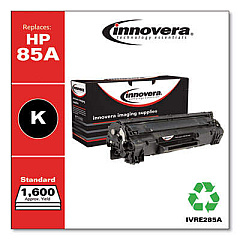
    While third-party cartridges may work, HP recommends using genuine HP toner cartridges for optimal print quality and to protect your printer's warranty.

  • What's the difference between the Tri-Pack, Dual Pack, and single cartridge options?

    The Tri-Pack and Dual Pack offer multiple cartridges at a discounted price, ideal for high-volume printing. Single cartridges are suitable for lower volume or occasional printing needs.

  • How do I install a new toner cartridge in my HP LaserJet Pro M1217nfw?

    Open the printer's front cover, remove the old cartridge, unpack the new one, and insert it into the printer. Close the cover to complete installation.

  • Are these toner cartridges environmentally friendly?

    HP offers a recycling program for used toner cartridges, helping to reduce environmental impact. Check HP's website for details on their recycling initiatives.

  • How can I tell if my toner cartridge is running low?

    Your printer will typically display a low toner warning. You may also notice a gradual decrease in print quality as the toner depletes.

  • Do these toner cartridges come with a warranty?

    Yes, genuine HP toner cartridges come with a warranty. Check the packaging or HP's website for specific warranty details.

  • Can I store unused toner cartridges for later use?

    Yes, you can store unused cartridges. Keep them in their original packaging, away from direct sunlight, and in a cool, dry place for best results.

Warehouse Locations

Policy & Agreement | Copyright © 1995-2026 BlueDogInk.com
