




Ads

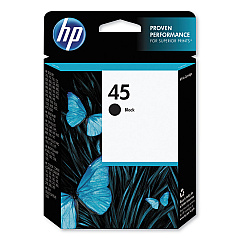
HP Fax 1220 Black Ink Cartridges

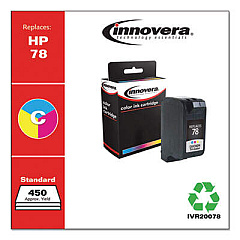
HP Fax 1220 Color Ink Cartridges

Ensure uninterrupted faxing with genuine HP Fax 1220 Ink Cartridges from BlueDogInk.com. Our high-quality ink supplies are specifically designed for optimal performance in your HP Fax 1220 machine. The HP 45 Black Ink Cartridge (51645A) delivers crisp, clear text and sharp images, essential for professional fax communications. These cartridges offer reliable, smudge-resistant prints that dry quickly, preventing paper jams and ensuring smooth operation. With a generous page yield, you'll experience fewer interruptions and reduced printing costs. BlueDogInk.com provides authentic HP cartridges at competitive prices, backed by our satisfaction guarantee. Whether you're in a busy office, healthcare facility, or educational institution, our HP Fax 1220 Ink Cartridges will keep your fax machine running efficiently. Order now to maintain the quality and reliability of your HP Fax 1220 and enjoy free shipping on qualifying orders.

HP Fax 1220 Printers Supplies FAQs

  • What ink cartridge does the HP Fax 1220 use?

    The HP Fax 1220 uses the HP 45 Black Ink Cartridge (51645A).

  • How many pages can the HP 45 Black Ink Cartridge print?

    The HP 45 Black Ink Cartridge typically yields around 930 pages, depending on usage.

  • Are compatible ink cartridges available for the HP Fax 1220?

    Yes, compatible cartridges are available, but we recommend using genuine HP cartridges for optimal performance and print quality.

  • How long does the ink last in the HP Fax 1220?

    Ink longevity depends on usage, but typically, a cartridge can last 3-6 months under normal use.

  • Can I use the HP 45 Black Ink Cartridge in other HP printers?

    Yes, the HP 45 Black Ink Cartridge is compatible with various HP printer models. Check your printer's specifications for compatibility.

  • Does BlueDogInk.com offer a warranty on HP Fax 1220 Ink Cartridges?

    Yes, we offer a satisfaction guarantee on all our products, including HP Fax 1220 Ink Cartridges.

  • How do I install the ink cartridge in my HP Fax 1220?

    Open the cartridge access door, remove the old cartridge, insert the new HP 45 cartridge, and close the access door. Refer to your user manual for detailed instructions.

  • Are there any special storage requirements for HP Fax 1220 Ink Cartridges?

    Store cartridges in a cool, dry place at room temperature. Keep them in their original packaging until ready for use.

  • How can I tell if my HP Fax 1220 Ink Cartridge is running low?

    Your fax machine should display a low ink warning. You may also notice a decrease in print quality.

  • Does BlueDogInk.com offer bulk discounts on HP Fax 1220 Ink Cartridges?

    Yes, we offer discounts on bulk orders. Contact our customer service for more information on volume pricing.

Warehouse Locations

Policy & Agreement | Copyright © 1995-2026 BlueDogInk.com
