





Ads

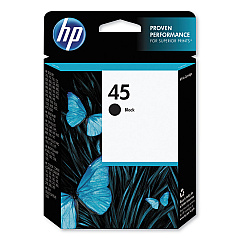
HP Color Copier 190 Black Ink Cartridges

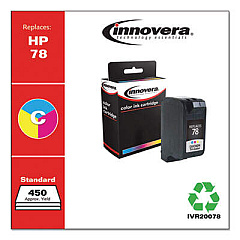
HP Color Copier 190 Color Ink Cartridges

HP Color Copier 190 Copy Paper

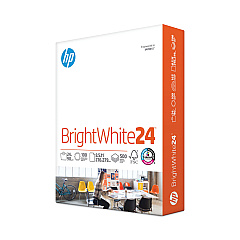
  • HP 203000 Bright White Inkjet Paper

    Item 203000

    HP 203000 Bright White Inkjet Paper

    HPB1124 Bright White Inkjet Paper, 97 Brightness, 24lb, 8-1/2 x 11, 500 Sheets/R..

    Status

    In Stock

    $14.10

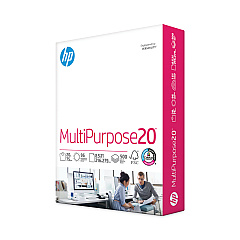
  • HP 112000 Multipurpose Paper

    Item 112000

    HP 112000 Multipurpose Paper

    HPM1120R Multipurpose Ultra White Paper, 96 Brightness, 20lb, 8 1/2 x 11, 500 Sh..

    Status

    In Stock

    $10.09

  • HP 115100 Multipurpose Paper

    Item 115100

    HP 115100 Multipurpose Paper

    HPM115RC Multipurpose Ultra White Paper, 96 Brightness, 20lb, 8-1/2 x 11, 500 sh..

    Status

    In Stock

    $50.99

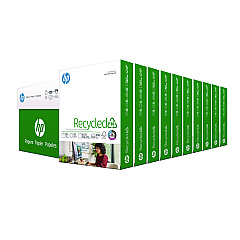
  • HP 112100 Recycled Paper

    Item 112100

    HP 112100 Recycled Paper

    HPE1120C Recycled Paper, 92 Bright, 20lb, 8-1/2 x 11, 500 sheets per ream, 10 re..

    Status

    In Stock

    Free Shipping

    $97.72

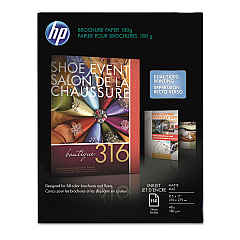
  • HP CH016A Inkjet Brochure Paper

    Item CH016A

    HP CH016A Inkjet Brochure Paper

    Inkjet Brochure/Flyer Paper, 103 Brightness, 48lb, 8-1/2 x 11, White, 150/Pack..

    Status

    In Stock

    $44.30

HP Color Copier 190 Photo Paper

Ensure your HP Color Copier 190 continues to deliver exceptional prints with our premium HP Color Copier 190 Ink Cartridges. These high-quality cartridges, including the renowned HP 45 Black Ink Cartridge (51645A), are designed to meet the demanding needs of businesses, educational institutions, government offices, and healthcare facilities. Our ink cartridges guarantee crisp text, vibrant colors, and professional-grade output for all your printing requirements. Whether you're producing important documents, presentations, or marketing materials, these cartridges provide consistent performance and long-lasting results. By choosing genuine HP ink cartridges, you're investing in reliability and superior print quality. Don't compromise on your printing needs – trust our HP Color Copier 190 Ink Cartridges to deliver outstanding results every time. Order now to keep your printer running smoothly and efficiently.

HP Color Copier 190 Ink Cartridges FAQs

  • What ink cartridges are compatible with the HP Color Copier 190?

    The HP Color Copier 190 uses the HP 45 Black Ink Cartridge (51645A).

  • How long does an HP 45 Black Ink Cartridge typically last?

    The lifespan of an HP 45 Black Ink Cartridge varies depending on usage, but it typically yields around 930 pages.

  • Can I use third-party ink cartridges in my HP Color Copier 190?

    While third-party cartridges may work, we recommend using genuine HP ink cartridges for optimal performance and print quality.

  • How do I install a new ink cartridge in my HP Color Copier 190?

    Open the printer's front cover, remove the old cartridge, and insert the new one until it clicks into place. Close the cover to complete installation.

  • Are HP Color Copier 190 Ink Cartridges recyclable?

    Yes, HP offers a recycling program for used ink cartridges. Visit HP's website for more information on their recycling initiatives.

  • How can I tell if my ink cartridge is running low?

    Your printer should display a low ink warning. You can also check ink levels through the printer software on your computer.

  • Do you offer bulk discounts for HP Color Copier 190 Ink Cartridges?

    Yes, we offer discounts for bulk purchases. Please contact our customer service for more information on volume pricing.

  • What's the shelf life of unopened HP Color Copier 190 Ink Cartridges?

    Unopened ink cartridges typically have a shelf life of 24 months from the date of manufacture when stored properly.

  • Can I use HP Color Copier 190 Ink Cartridges in other HP printer models?

    The HP 45 Black Ink Cartridge is compatible with several HP printer models. Check your printer's manual or our website for a full list of compatible printers.

  • What should I do if my printer doesn't recognize the new ink cartridge?

    Try removing and reinserting the cartridge. If the issue persists, clean the cartridge contacts and try again. If problems continue, contact HP support for assistance.

Warehouse Locations

Policy & Agreement | Copyright © 1995-2026 BlueDogInk.com
