





Ads

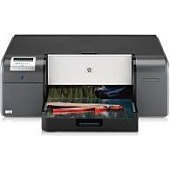
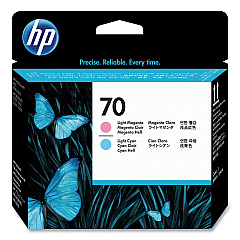
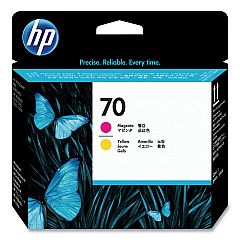
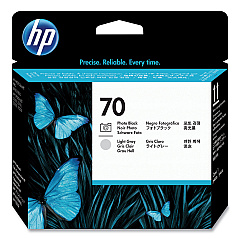
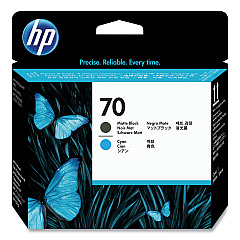
HP Photosmart Pro B9180 Printheads

HP Photosmart Pro B9180 Copy Paper

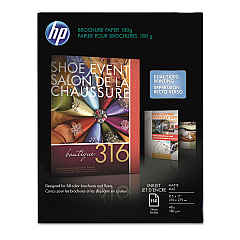
  • HP CH016A Inkjet Brochure Paper

    Item CH016A

    HP CH016A Inkjet Brochure Paper

    Inkjet Brochure/Flyer Paper, 103 Brightness, 48lb, 8-1/2 x 11, White, 150/Pack..

    Status

    In Stock

    $44.30

  • HP 203000 Bright White Inkjet Paper

    Item 203000

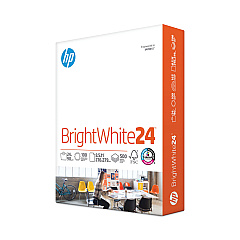
    HP 203000 Bright White Inkjet Paper

    HPB1124 Bright White Inkjet Paper, 97 Brightness, 24lb, 8-1/2 x 11, 500 Sheets/R..

    Status

    In Stock

    $14.10

  • HP 112000 Multipurpose Paper

    Item 112000

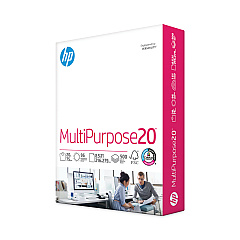
    HP 112000 Multipurpose Paper

    HPM1120R Multipurpose Ultra White Paper, 96 Brightness, 20lb, 8 1/2 x 11, 500 Sh..

    Status

    In Stock

    $10.09

  • HP 115100 Multipurpose Paper

    Item 115100

    HP 115100 Multipurpose Paper

    HPM115RC Multipurpose Ultra White Paper, 96 Brightness, 20lb, 8-1/2 x 11, 500 sh..

    Status

    In Stock

    $50.99

  • HP 112100 Recycled Paper

    Item 112100

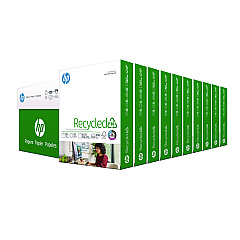
    HP 112100 Recycled Paper

    HPE1120C Recycled Paper, 92 Bright, 20lb, 8-1/2 x 11, 500 sheets per ream, 10 re..

    Status

    In Stock

    Free Shipping

    $97.72

HP Photosmart Pro B9180 Photo Paper

Elevate your printing experience with genuine HP Photosmart Pro B9180 Ink Cartridges. These high-quality cartridges are designed to deliver exceptional results for businesses, educational institutions, government agencies, healthcare facilities, and wholesale operations. The HP Photosmart Pro B9180 printer utilizes a range of printheads, including HP C9404A, C9405A, C9406A, and C9407A, to produce vivid, long-lasting prints. Whether you're creating professional marketing materials, educational resources, or medical imaging, these ink cartridges ensure crisp text and vibrant colors. With their reliable performance and superior print quality, HP Photosmart Pro B9180 Ink Cartridges are the ideal choice for those who demand excellence in their printing output. Invest in these cartridges to maximize your printer's potential and achieve stunning results that leave a lasting impression on your audience.

HP Photosmart Pro B9180 Ink Cartridges FAQs

  • How long do HP Photosmart Pro B9180 Ink Cartridges typically last?

    The lifespan of these cartridges varies depending on usage, but they generally last for several hundred pages of printing.

  • Are these ink cartridges compatible with other HP printer models?

    No, these cartridges are specifically designed for the HP Photosmart Pro B9180 printer and may not be compatible with other models.

  • Can I use third-party ink cartridges in my HP Photosmart Pro B9180 printer?

    While third-party cartridges may work, using genuine HP cartridges ensures optimal print quality and prevents potential damage to your printer.

  • How do I install the HP C9404A, C9405A, C9406A, and C9407A printheads?

    Follow the instructions in your printer's manual for proper installation. Generally, you'll need to open the printer, remove the old printheads, and insert the new ones in their designated slots.

  • What's the difference between the various printhead models (C9404A, C9405A, C9406A, C9407A)?

    Each printhead model is responsible for different ink colors or combinations, ensuring a full range of colors for your prints.

  • How often should I replace the printheads in my HP Photosmart Pro B9180?

    Printheads typically last longer than ink cartridges. Replace them when you notice a decline in print quality that persists after cleaning and aligning the printheads.

  • Can I recycle used HP Photosmart Pro B9180 Ink Cartridges?

    Yes, HP offers a recycling program for used ink cartridges. Check their website for details on how to participate.

  • What should I do if my prints appear faded or have streaks?

    First, try cleaning the printheads using the printer's built-in cleaning function. If the issue persists, you may need to replace the ink cartridges or printheads.

  • Are these ink cartridges suitable for printing high-quality photos?

    Yes, the HP Photosmart Pro B9180 Ink Cartridges are designed to produce high-quality photo prints with vibrant colors and sharp details.

  • How can I maximize the lifespan of my HP Photosmart Pro B9180 Ink Cartridges?

    To extend cartridge life, print regularly to prevent ink from drying out, use the printer's economy mode for drafts, and store unused cartridges in a cool, dry place.

Warehouse Locations

Policy & Agreement | Copyright © 1995-2026 BlueDogInk.com
