










Ads

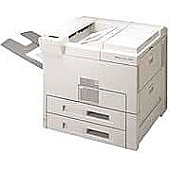
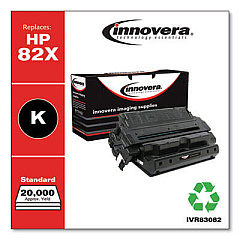
HP LaserJet 8150 Black Toner Cartridges

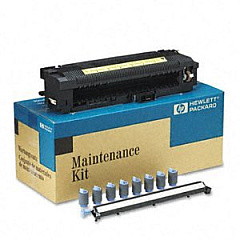
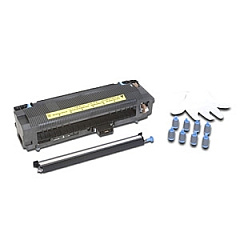
HP LaserJet 8150 Maintenance Kits

HP LaserJet 8150 Printer Parts

HP LaserJet 8150 Copy Paper

Ensure peak performance for your high-volume printing needs with genuine HP LaserJet 8150 Toner Cartridges. These reliable cartridges are designed specifically for the HP LaserJet 8150 printer series, delivering crisp, professional-quality output for businesses, educational institutions, government offices, and healthcare facilities. The HP C3914A Maintenance Kit extends the life of your printer, while the HP RF5-2703 Separation Pad ensures smooth paper handling. By choosing authentic HP supplies, you'll maximize print quality, minimize downtime, and protect your investment. Whether you're printing reports, presentations, or official documents, these toner cartridges provide consistent, long-lasting results. Trust in HP's advanced technology to meet your demanding printing requirements efficiently and cost-effectively. Upgrade your printing experience with HP LaserJet 8150 Toner Cartridges and enjoy unparalleled reliability and performance.

HP LaserJet 8150 Toner Cartridges FAQs

  • What is the page yield of HP LaserJet 8150 Toner Cartridges?

    The page yield varies depending on the specific cartridge model, but typically ranges from 20,000 to 40,000 pages at 5% coverage.

  • Are these toner cartridges compatible with other HP LaserJet models?

    These cartridges are specifically designed for the HP LaserJet 8150 series. Always check your printer's compatibility before purchasing.

  • How often should I replace the HP C3914A Maintenance Kit?

    The maintenance kit should be replaced approximately every 350,000 pages, or as recommended by your printer's maintenance schedule.

  • What is the function of the HP RF5-2703 Separation Pad?

    The separation pad helps prevent multiple sheets from feeding into the printer simultaneously, ensuring smooth and reliable paper handling.

  • Can I use third-party or refilled toner cartridges in my HP LaserJet 8150?

    While third-party options exist, using genuine HP cartridges ensures optimal print quality and protects your printer's warranty.

  • How do I know when it's time to replace my toner cartridge?

    Your printer will display a low toner warning. You may also notice a decrease in print quality or faded output.

  • Are these toner cartridges environmentally friendly?

    HP offers a recycling program for used cartridges, helping to reduce environmental impact. Check HP's website for details on their sustainability initiatives.

  • What should I do if I experience print quality issues?

    First, ensure you're using genuine HP cartridges. If issues persist, try cleaning the printer and replacing the maintenance kit if necessary.

  • How should I store unused toner cartridges?

    Store cartridges in a cool, dry place away from direct sunlight. Keep them in their original packaging until ready for use.

  • Is it normal for toner cartridges to have a slight odor when printing?

    A slight odor during printing is normal and harmless. However, if you notice a strong or unusual smell, contact HP support for assistance.

Warehouse Locations

Policy & Agreement | Copyright © 1995-2026 BlueDogInk.com
