










Ads

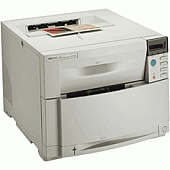
HP Color LaserJet 4550 Printer Parts

HP Color LaserJet 4550 Copy Paper

HP Color LaserJet 4550 Photo Paper

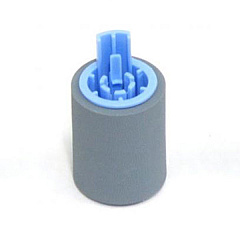
Enhance your printing experience with genuine HP Color LaserJet 4550 Toner Cartridges, designed to deliver exceptional quality and reliability. These high-performance cartridges are specifically engineered for the HP Color LaserJet 4550 printer series, ensuring crisp text and vibrant colors for all your business documents. The range includes the essential HP RF5-1885 Feed/Separation Roller, which guarantees smooth paper handling and prevents multi-sheet feeding. By choosing authentic HP supplies, you'll maximize your printer's efficiency and longevity while minimizing downtime. Whether you're printing reports, presentations, or marketing materials, these toner cartridges provide consistent, professional results page after page. Trust in HP's advanced technology and superior print quality to make a lasting impression on your clients and colleagues. Invest in HP Color LaserJet 4550 Toner Cartridges for unparalleled performance and reliability.

HP Color LaserJet 4550 Toner Cartridges FAQs

  • What is the page yield for HP Color LaserJet 4550 toner cartridges?

    The page yield varies depending on the specific cartridge model, but typically ranges from 6,000 to 8,500 pages for black and 6,000 to 8,000 pages for color cartridges.

  • Are compatible toner cartridges available for the HP Color LaserJet 4550?

    Yes, compatible cartridges are available, but using genuine HP toner cartridges is recommended for optimal print quality and printer performance.

  • How often should I replace the HP RF5-1885 Feed/Separation Roller?

    The feed/separation roller should be replaced approximately every 200,000 pages or when you notice paper feeding issues.

  • Can I use HP Color LaserJet 4550 toner cartridges in other printer models?

    These cartridges are specifically designed for the HP Color LaserJet 4550 series and may not be compatible with other printer models.

  • How do I install new toner cartridges in the HP Color LaserJet 4550?

    Open the front cover, remove the old cartridge, and insert the new one, aligning it with the guides. Push it in until it clicks into place.

  • What should I do with empty toner cartridges?

    HP offers a free recycling program for empty toner cartridges. Visit their website or check with local office supply stores for recycling options.

  • How can I extend the life of my HP Color LaserJet 4550 toner cartridges?

    Use draft mode for internal documents, print in grayscale when color isn't necessary, and ensure your printer firmware is up to date for optimal efficiency.

  • Are HP Color LaserJet 4550 toner cartridges covered under warranty?

    Yes, genuine HP toner cartridges come with a warranty against defects in materials and workmanship.

  • Can I store unused toner cartridges for long periods?

    Yes, store unopened cartridges in a cool, dry place away from direct sunlight. They typically have a shelf life of 1-2 years.

  • How do I know when it's time to replace my toner cartridges?

    The printer's control panel will display a message when toner levels are low. You may also notice a decrease in print quality.

Warehouse Locations

Policy & Agreement | Copyright © 1995-2026 BlueDogInk.com
