





Ads

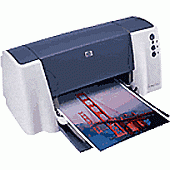
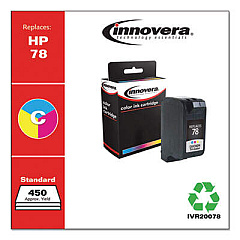
HP DeskJet 3820 Color Ink Cartridges

HP DeskJet 3820 Copy Paper

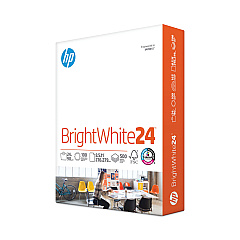
  • HP 203000 Bright White Inkjet Paper

    Item 203000

    HP 203000 Bright White Inkjet Paper

    HPB1124 Bright White Inkjet Paper, 97 Brightness, 24lb, 8-1/2 x 11, 500 Sheets/R..

    Status

    In Stock

    $14.10

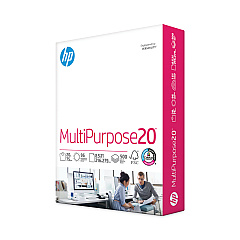
  • HP 112000 Multipurpose Paper

    Item 112000

    HP 112000 Multipurpose Paper

    HPM1120R Multipurpose Ultra White Paper, 96 Brightness, 20lb, 8 1/2 x 11, 500 Sh..

    Status

    In Stock

    $10.09

  • HP 115100 Multipurpose Paper

    Item 115100

    HP 115100 Multipurpose Paper

    HPM115RC Multipurpose Ultra White Paper, 96 Brightness, 20lb, 8-1/2 x 11, 500 sh..

    Status

    In Stock

    $50.99

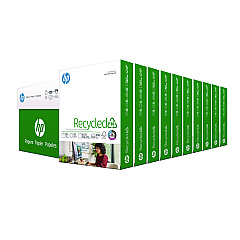
  • HP 112100 Recycled Paper

    Item 112100

    HP 112100 Recycled Paper

    HPE1120C Recycled Paper, 92 Bright, 20lb, 8-1/2 x 11, 500 sheets per ream, 10 re..

    Status

    In Stock

    Free Shipping

    $97.72

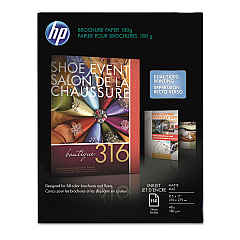
  • HP CH016A Inkjet Brochure Paper

    Item CH016A

    HP CH016A Inkjet Brochure Paper

    Inkjet Brochure/Flyer Paper, 103 Brightness, 48lb, 8-1/2 x 11, White, 150/Pack..

    Status

    In Stock

    $44.30

HP DeskJet 3820 Photo Paper

Ensure your HP DeskJet 3820 printer continues to deliver high-quality prints with our selection of HP DeskJet 3820 Ink Cartridges. Our range includes the Innovera Remanufactured Tri-Color Ink, a cost-effective replacement for the original HP 78 (C6578DN) cartridge. This eco-friendly option offers the same vibrant colors and sharp text as the OEM cartridge, while helping you save money and reduce waste. Compatible with your HP DeskJet 3820 printer, these cartridges are designed to provide consistent, reliable performance for all your printing needs. Whether you're printing important documents, colorful presentations, or cherished photos, our HP DeskJet 3820 Ink Cartridges ensure your prints look their best. With easy installation and long-lasting results, these cartridges are the perfect choice for home offices, small businesses, and educational institutions looking to maintain high-quality output while managing printing costs.

HP DeskJet 3820 Ink Cartridges FAQs

  • Are remanufactured ink cartridges compatible with the HP DeskJet 3820 printer?

    Yes, remanufactured ink cartridges like the Innovera Remanufactured Tri-Color Ink are fully compatible with the HP DeskJet 3820 printer.

  • How long do HP DeskJet 3820 Ink Cartridges typically last?

    The lifespan of ink cartridges varies depending on usage, but on average, they can last for 300-400 printed pages.

  • Can I use third-party ink cartridges without voiding my printer warranty?

    Using third-party ink cartridges does not void your printer warranty, as long as they don't cause damage to the printer.

  • How do I install new ink cartridges in my HP DeskJet 3820 printer?

    To install new cartridges, open the printer cover, remove the old cartridges, insert the new ones until they click into place, and close the cover.

  • What's the difference between OEM and remanufactured ink cartridges?

    OEM cartridges are made by the original manufacturer, while remanufactured cartridges are recycled and refilled by third-party companies, often at a lower cost.

  • How can I tell if my HP DeskJet 3820 Ink Cartridge is running low?

    Your printer software will typically alert you when ink levels are low. You can also check ink levels through the printer's control panel or by printing a test page.

  • Are HP DeskJet 3820 Ink Cartridges recyclable?

    Yes, most ink cartridges, including those for the HP DeskJet 3820, can be recycled through various programs offered by manufacturers and office supply stores.

  • Can I use individual color cartridges in my HP DeskJet 3820?

    The HP DeskJet 3820 uses a tri-color cartridge, so individual color cartridges are not compatible with this model.

  • How should I store unused HP DeskJet 3820 Ink Cartridges?

    Store unused cartridges in their original sealed packaging, at room temperature, and away from direct sunlight to maintain their quality and extend shelf life.

  • What should I do if my prints are coming out faded or streaky?

    Try cleaning the print heads using the printer's maintenance function. If the problem persists, you may need to replace the ink cartridge.

Warehouse Locations

Policy & Agreement | Copyright © 1995-2026 BlueDogInk.com
