





Ads

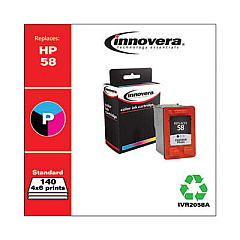
HP Photosmart 2510 Black Ink Cartridges

HP Photosmart 2510 Color Ink Cartridges

HP Photosmart 2510 Copy Paper

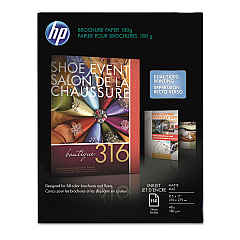
  • HP CH016A Inkjet Brochure Paper

    Item CH016A

    HP CH016A Inkjet Brochure Paper

    Inkjet Brochure/Flyer Paper, 103 Brightness, 48lb, 8-1/2 x 11, White, 150/Pack..

    Status

    In Stock

    $44.30

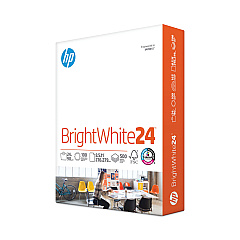
  • HP 203000 Bright White Inkjet Paper

    Item 203000

    HP 203000 Bright White Inkjet Paper

    HPB1124 Bright White Inkjet Paper, 97 Brightness, 24lb, 8-1/2 x 11, 500 Sheets/R..

    Status

    In Stock

    $14.10

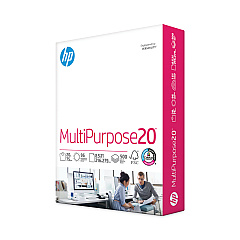
  • HP 112000 Multipurpose Paper

    Item 112000

    HP 112000 Multipurpose Paper

    HPM1120R Multipurpose Ultra White Paper, 96 Brightness, 20lb, 8 1/2 x 11, 500 Sh..

    Status

    In Stock

    $10.09

  • HP 115100 Multipurpose Paper

    Item 115100

    HP 115100 Multipurpose Paper

    HPM115RC Multipurpose Ultra White Paper, 96 Brightness, 20lb, 8-1/2 x 11, 500 sh..

    Status

    In Stock

    $50.99

  • HP 112100 Recycled Paper

    Item 112100

    HP 112100 Recycled Paper

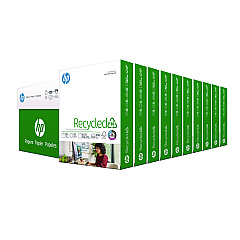
    HPE1120C Recycled Paper, 92 Bright, 20lb, 8-1/2 x 11, 500 sheets per ream, 10 re..

    Status

    In Stock

    Free Shipping

    $97.72

HP Photosmart 2510 Photo Paper

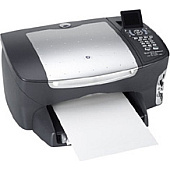
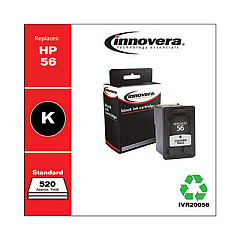
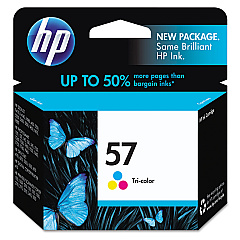
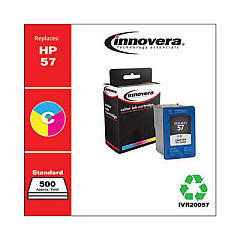
Ensure your HP Photosmart 2510 printer continues to deliver exceptional prints with our premium HP Photosmart 2510 Ink Cartridges. These high-quality cartridges are designed specifically for your printer, guaranteeing optimal performance and stunning results. The HP C6656AN Black Ink Cartridge provides crisp, clear text and sharp lines, while the HP C6657AN Tri-Color Ink Cartridge produces vibrant, true-to-life colors for your photos and graphics. Our genuine HP ink cartridges offer superior print quality, longer-lasting prints, and more pages per cartridge compared to generic alternatives. Whether you're printing important documents or cherished memories, these cartridges ensure your HP Photosmart 2510 performs at its best. Don't compromise on quality – choose our authentic HP ink cartridges for reliable, professional-grade printing every time.

HP Photosmart 2510 Ink Cartridges FAQs

  • How long do HP Photosmart 2510 Ink Cartridges typically last?

    The lifespan of ink cartridges varies depending on usage, but on average, they can last for about 200-300 pages for black ink and 150-200 pages for color ink.

  • Are these ink cartridges compatible with other HP printers?

    While these cartridges are designed specifically for the HP Photosmart 2510, they may be compatible with other HP printer models. Always check your printer's manual or HP's website for compatibility information.

  • Can I use third-party ink cartridges in my HP Photosmart 2510?

    While third-party cartridges may work, using genuine HP ink cartridges is recommended for optimal print quality and to avoid potential damage to your printer.

  • How do I install new ink cartridges in my HP Photosmart 2510?

    To install new cartridges, turn on the printer, open the cartridge access door, wait for the carriage to move to the center, remove the old cartridge, insert the new one, and close the access door.

  • What should I do if my printer doesn't recognize the new ink cartridge?

    Try removing and reinserting the cartridge, cleaning the cartridge contacts, or resetting the printer. If issues persist, contact HP support.

  • Can I recycle my used HP ink cartridges?

    Yes, HP offers a free recycling program for used ink cartridges. You can return them to HP or drop them off at participating retail locations.

  • How can I tell if my ink cartridge is running low?

    Your printer software will typically alert you when ink levels are low. You can also check ink levels through the printer's control panel or HP software on your computer.

  • Is it necessary to replace all ink cartridges at the same time?

    No, you only need to replace the cartridge that's empty. However, it's a good idea to have spare cartridges on hand to avoid interruptions in printing.

  • What's the shelf life of unopened HP ink cartridges?

    Unopened HP ink cartridges typically have a shelf life of 24 months from the date of manufacture when stored properly.

  • Can I refill my HP ink cartridges instead of buying new ones?

    While it's possible to refill cartridges, HP doesn't recommend this as it may affect print quality and potentially damage your printer. It's best to use new, genuine HP cartridges.

Warehouse Locations

Policy & Agreement | Copyright © 1995-2026 BlueDogInk.com
