









Ads

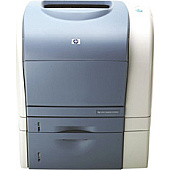
HP Color LaserJet 2500TN Color Toner Cartridges

HP Color LaserJet 2500TN Copy Paper

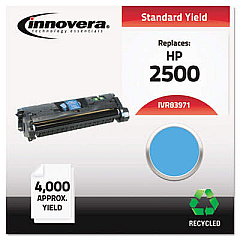
Enhance your printing experience with premium HP Color LaserJet 2500TN Toner Cartridges. These high-quality cartridges, including the Innovera Remanufactured Cyan Toner (replacement for 123A Q3971A), deliver exceptional color accuracy and crisp text for all your business, educational, or healthcare printing needs. Designed specifically for the HP Color LaserJet 2500TN printer, these cartridges ensure optimal performance and longevity. With their reliable output and cost-effective pricing, you can maintain professional-grade prints without breaking the budget. Whether you're producing vibrant marketing materials, detailed reports, or colorful presentations, these toner cartridges provide consistent results page after page. Invest in the best supplies for your HP Color LaserJet 2500TN and experience the difference in print quality and efficiency today.

HP Color LaserJet 2500TN Toner Cartridges FAQs

  • Are these toner cartridges compatible with other HP printer models?

    These cartridges are specifically designed for the HP Color LaserJet 2500TN. Always check your printer's compatibility before purchasing.

  • What is the page yield for these toner cartridges?

    Page yield varies by cartridge color and usage, but typically ranges from 4,000 to 6,000 pages per cartridge.

  • Are remanufactured cartridges as good as original HP cartridges?

    Remanufactured cartridges like the Innovera Cyan Toner offer comparable quality at a lower cost, making them a great alternative to OEM cartridges.

  • How long do these toner cartridges last?

    Shelf life is typically 24 months, but actual lifespan depends on usage and storage conditions.

  • Can I recycle these toner cartridges?

    Yes, most toner cartridges can be recycled. Check with your local recycling center or the manufacturer's recycling program.

  • Do these cartridges come with a warranty?

    Yes, most cartridges come with a standard warranty. Check the product details for specific warranty information.

  • How do I install these toner cartridges?

    Installation is simple. Open your printer's toner compartment, remove the old cartridge, and insert the new one until it clicks into place.

  • What should I do if I experience print quality issues?

    First, ensure the cartridge is properly installed. If issues persist, try cleaning the printer heads or consulting your printer's manual for troubleshooting steps.

  • Can I use these cartridges if I still have toner left in my current ones?

    It's best to wait until your current cartridge is empty to avoid waste. However, you can keep new cartridges on hand for when you need them.

  • Are these toner cartridges environmentally friendly?

    Remanufactured cartridges like the Innovera Cyan Toner are more environmentally friendly as they reuse materials and reduce waste.

Warehouse Locations

Policy & Agreement | Copyright © 1995-2026 BlueDogInk.com
