










Ads

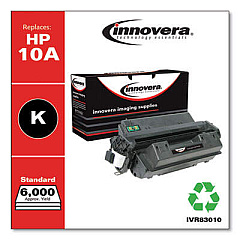
HP LaserJet 2300n Black Toner Cartridges

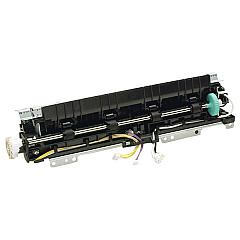
HP LaserJet 2300n Fusers

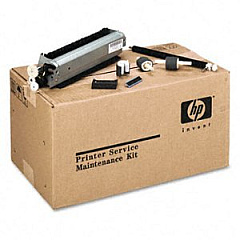
HP LaserJet 2300n Maintenance Kits

HP LaserJet 2300n Printer Parts

HP LaserJet 2300n Copy Paper

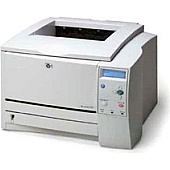
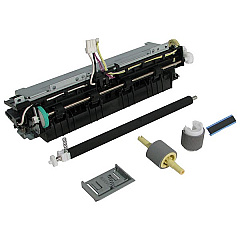
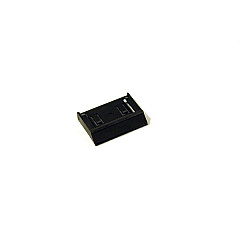
Ensure your HP LaserJet 2300n printer maintains its high-quality output with genuine HP LaserJet 2300n Toner Cartridges and supplies. Our comprehensive range includes essential components like the HP RC1-0954 Tray 2 Separation Pad, which guarantees smooth paper feeding, the HP RM1-0354 Fuser Unit for crisp, long-lasting prints, and the HP U6180-60001 Maintenance Kit for optimal printer performance. These authentic HP supplies are designed to work seamlessly with your LaserJet 2300n, delivering consistent, professional-grade results for all your printing needs. Whether you're printing important business documents, educational materials, or healthcare records, our HP LaserJet 2300n Toner Cartridges and accessories ensure reliability, efficiency, and cost-effectiveness. Don't compromise on quality – choose genuine HP supplies to maximize your printer's lifespan and maintain superior print quality page after page.

HP LaserJet 2300n Toner Cartridges FAQs

  • What is the page yield of the standard HP LaserJet 2300n toner cartridge?

    The standard HP LaserJet 2300n toner cartridge typically yields around 6,000 pages at 5% coverage.

  • Are compatible toner cartridges available for the HP LaserJet 2300n?

    Yes, compatible toner cartridges are available, but using genuine HP cartridges is recommended for optimal performance and print quality.

  • How often should I replace the HP RC1-0954 Tray 2 Separation Pad?

    The separation pad should be replaced when you notice frequent paper jams or multiple sheets being pulled into the printer simultaneously.

  • What is included in the HP U6180-60001 Maintenance Kit?

    The maintenance kit typically includes a fuser unit, transfer roller, and pick-up rollers for Trays 1 and 2.

  • How do I know when to replace the HP RM1-0354 Fuser Unit?

    Replace the fuser unit when you notice print quality issues such as faded prints, toner smears, or when prompted by the printer's maintenance alert.

  • Can I use the same toner cartridge for other HP LaserJet models?

    Toner cartridges are usually model-specific. Always check your printer's compatibility before purchasing a cartridge.

  • How long does a toner cartridge last in the HP LaserJet 2300n?

    The lifespan of a toner cartridge depends on usage, but typically it can last several months to a year in average office use.

  • Is it necessary to shake the toner cartridge before installation?

    Yes, gently shaking the toner cartridge before installation helps distribute the toner evenly and can improve initial print quality.

  • How can I extend the life of my HP LaserJet 2300n supplies?

    Use draft mode for non-critical prints, maintain the printer regularly, and store supplies in a cool, dry place to extend their life.

  • Are HP LaserJet 2300n supplies recyclable?

    Yes, HP offers a recycling program for used toner cartridges and other printer supplies. Check HP's website for details on their recycling initiatives.

Warehouse Locations

Policy & Agreement | Copyright © 1995-2026 BlueDogInk.com
