










Ads

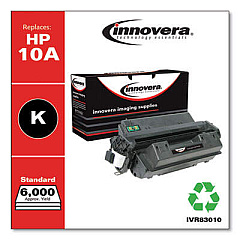
HP LaserJet 2300DN Black Toner Cartridges

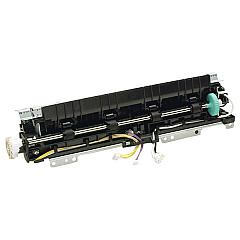
HP LaserJet 2300DN Fusers

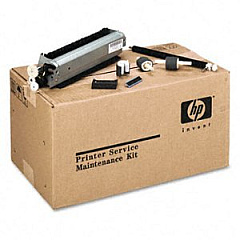
HP LaserJet 2300DN Maintenance Kits

HP LaserJet 2300DN Copy Paper

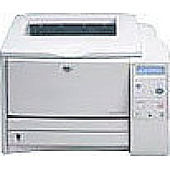
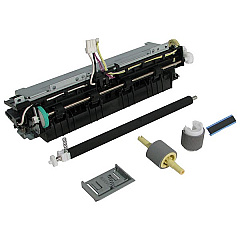
Ensure your HP LaserJet 2300DN printer maintains its high-quality output with genuine HP LaserJet 2300DN Toner Cartridges and supplies from BlueDogInk.com. Our selection includes the essential HP RM1-0354 Fuser Unit and HP U6180-60001 Maintenance Kit, designed to keep your printer running smoothly and efficiently. These authentic HP components are engineered to work seamlessly with your LaserJet 2300DN, delivering crisp, professional-grade prints every time. By choosing original HP supplies, you'll extend the life of your printer and minimize downtime. Whether you're printing important business documents, educational materials, or healthcare records, our HP LaserJet 2300DN Toner Cartridges and accessories ensure consistent, reliable performance. Trust BlueDogInk.com for all your HP LaserJet 2300DN printing needs, and experience the difference that genuine HP supplies can make in your daily printing tasks.

HP LaserJet 2300DN Toner Cartridges FAQs

  • How often should I replace the toner cartridge in my HP LaserJet 2300DN?

    Replacement frequency depends on usage, but typically when print quality diminishes or the printer indicates low toner levels.

  • Are compatible toner cartridges available for the HP LaserJet 2300DN?

    Yes, compatible cartridges are available, but using genuine HP cartridges ensures optimal print quality and printer performance.

  • What is the page yield of the standard toner cartridge for the HP LaserJet 2300DN?

    The standard HP Q2610A toner cartridge for the LaserJet 2300DN has an approximate yield of 6,000 pages.

  • How do I install a new toner cartridge in my HP LaserJet 2300DN?

    Open the front cover, remove the old cartridge, unpack the new one, and insert it into the printer until it clicks into place.

  • What is the purpose of the HP RM1-0354 Fuser Unit?

    The fuser unit heats and bonds the toner to the paper, ensuring proper print adhesion and quality.

  • How often should the HP U6180-60001 Maintenance Kit be replaced?

    The maintenance kit should typically be replaced after every 200,000 pages or when print quality issues persist after replacing the toner.

  • Can I recycle my used HP LaserJet 2300DN toner cartridges?

    Yes, HP offers a free recycling program for used toner cartridges. Check their website for details on how to participate.

  • What should I do if I experience print quality issues with my HP LaserJet 2300DN?

    First, check if the toner is low. If not, try cleaning the printer and replacing the toner cartridge. If issues persist, consider replacing the fuser unit or maintenance kit.

  • Are there high-yield toner cartridges available for the HP LaserJet 2300DN?

    Yes, HP offers a high-yield Q2610D toner cartridge with an approximate yield of 10,000 pages for the LaserJet 2300DN.

  • How can I extend the life of my HP LaserJet 2300DN toner cartridge?

    To extend cartridge life, use draft mode for non-critical prints, print in grayscale when possible, and ensure your printer is properly maintained.

Warehouse Locations

Policy & Agreement | Copyright © 1995-2026 BlueDogInk.com
