










Ads

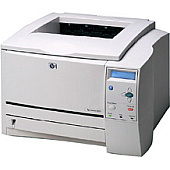
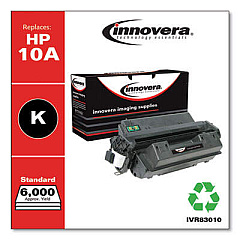
HP LaserJet 2300 Black Toner Cartridges

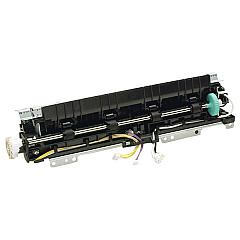
HP LaserJet 2300 Fusers

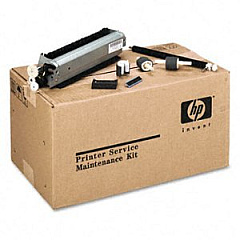
HP LaserJet 2300 Maintenance Kits

HP LaserJet 2300 Printer Parts

HP LaserJet 2300 Copy Paper

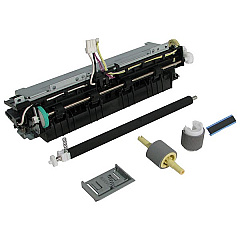
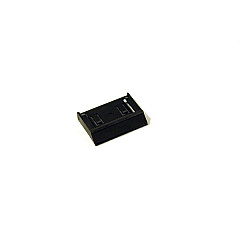
Ensure peak performance from your HP LaserJet 2300 printer with our premium HP LaserJet 2300 Toner Cartridges and essential supplies. Our comprehensive range includes the HP RC1-0954 Tray 2 Separation Pad for smooth paper feeding, the HP RM1-0354 Fuser Unit for crisp, long-lasting prints, and the HP U6180-60001 Maintenance Kit for optimal printer longevity. These genuine HP components are designed to deliver exceptional print quality, reliability, and efficiency for businesses, educational institutions, government offices, healthcare facilities, and wholesale operations. By choosing our authentic HP LaserJet 2300 Toner Cartridges and supplies, you'll maximize your printer's output while minimizing downtime and maintenance costs. Experience the difference in print clarity, consistency, and overall performance with our top-quality HP LaserJet 2300 supplies, tailored to meet the demands of high-volume printing environments.

HP LaserJet 2300 Toner Cartridges FAQs

  • What is the page yield of HP LaserJet 2300 toner cartridges?

    The standard HP LaserJet 2300 toner cartridge typically yields around 6,000 pages, while high-capacity cartridges can yield up to 10,000 pages.

  • Are compatible toner cartridges available for the HP LaserJet 2300?

    Yes, compatible toner cartridges are available, but using genuine HP cartridges is recommended for optimal print quality and printer performance.

  • How often should I replace the HP RC1-0954 Tray 2 Separation Pad?

    The separation pad should be replaced when you notice frequent paper jams or multi-feed issues, typically after 50,000 to 100,000 pages.

  • What is included in the HP U6180-60001 Maintenance Kit?

    The maintenance kit typically includes a fuser unit, transfer roller, and pick-up rollers for comprehensive printer maintenance.

  • How do I know when to replace the HP RM1-0354 Fuser Unit?

    Replace the fuser unit when you notice print quality issues such as faded prints, streaks, or wrinkled pages, or after approximately 150,000 pages.

  • Can I use the same toner cartridges in other HP LaserJet models?

    HP LaserJet 2300 toner cartridges are specific to this model and a few compatible models. Always check your printer's compatibility before purchasing.

  • How can I extend the life of my HP LaserJet 2300 toner cartridges?

    To extend cartridge life, use draft mode for internal documents, print in grayscale when possible, and ensure proper storage of unused cartridges.

  • Is it necessary to replace all components in the maintenance kit at once?

    It's recommended to replace all components in the maintenance kit simultaneously to ensure consistent printer performance and reduce future downtime.

  • How do I properly store unused HP LaserJet 2300 toner cartridges?

    Store unused cartridges in their original packaging, away from direct sunlight and extreme temperatures, in a cool, dry place to maintain their quality.

  • Can I recycle used HP LaserJet 2300 toner cartridges?

    Yes, HP offers a free recycling program for used toner cartridges. Visit HP's website or check with local office supply stores for recycling options.

Warehouse Locations

Policy & Agreement | Copyright © 1995-2026 BlueDogInk.com
