










Ads

HP LaserJet 2200DT Black Toner Cartridges

HP LaserJet 2200DT Printer Parts

HP LaserJet 2200DT Copy Paper

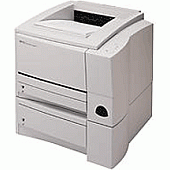
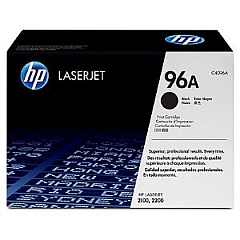
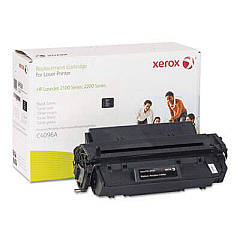
Ensure uninterrupted printing with high-quality HP LaserJet 2200DT Toner Cartridges. These reliable supplies are designed specifically for the HP LaserJet 2200DT printer, delivering crisp, professional-grade output for your business, educational, or healthcare needs. The HP C4096A Black Toner Cartridge offers exceptional print quality and yield, while the HP RB2-6349 Separation Pad for 250-Sheet Paper Tray ensures smooth paper feeding and reduces jamming. By choosing genuine HP supplies, you'll maximize your printer's performance and extend its lifespan. These toner cartridges are easy to install and provide consistent results, page after page. Whether you're printing important documents, reports, or presentations, HP LaserJet 2200DT Toner Cartridges guarantee sharp text and clear graphics. Invest in the best supplies for your HP LaserJet 2200DT and experience the difference in print quality and reliability.

HP LaserJet 2200DT Toner Cartridges FAQs

  • What is the page yield of the HP C4096A Black Toner Cartridge?

    The HP C4096A Black Toner Cartridge has an approximate page yield of 5,000 pages at 5% coverage.

  • Are these toner cartridges compatible with other HP LaserJet models?

    The HP C4096A Black Toner Cartridge is compatible with several HP LaserJet models, including the 2100 and 2200 series. Always check your printer's specifications for compatibility.

  • How often should I replace the HP RB2-6349 Separation Pad?

    The replacement frequency of the separation pad depends on usage. Generally, it should be replaced when you notice frequent paper jams or multi-sheet feeding issues.

  • Can I use third-party toner cartridges in my HP LaserJet 2200DT?

    While third-party cartridges may work, using genuine HP toner cartridges ensures optimal print quality and printer performance, and maintains your printer's warranty.

  • How do I install the HP C4096A Black Toner Cartridge?

    To install, open the printer's front cover, remove the old cartridge, unpack the new one, and insert it into the printer until it clicks into place. Close the cover to complete installation.

  • What should I do with my used toner cartridges?

    HP offers a free recycling program for used toner cartridges. You can return them to HP or participating retailers for environmentally responsible recycling.

  • How can I extend the life of my toner cartridge?

    To extend cartridge life, use draft mode for non-critical prints, print in grayscale when possible, and avoid opening the printer unnecessarily to prevent toner exposure to light.

  • Is the HP RB2-6349 Separation Pad difficult to replace?

    Replacing the separation pad is a relatively simple process. Consult your printer's manual for step-by-step instructions or consider professional assistance if you're unsure.

  • How long can I store unused toner cartridges?

    Unopened toner cartridges can typically be stored for up to two years. Store them in a cool, dry place away from direct sunlight to maintain their quality.

  • Does using genuine HP toner cartridges affect my printer's warranty?

    Using genuine HP toner cartridges helps maintain your printer's warranty. Non-HP cartridges may void the warranty if they cause damage to the printer.

Warehouse Locations

Policy & Agreement | Copyright © 1995-2026 BlueDogInk.com
