









Ads

HP LaserJet 1320t Black Toner Cartridges

HP LaserJet 1320t Copy Paper

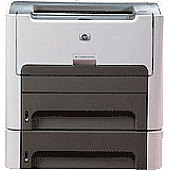
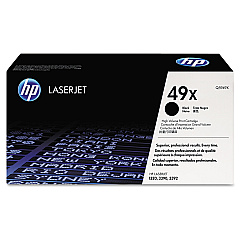
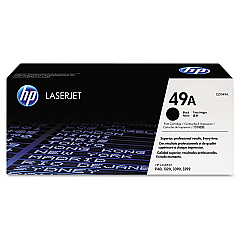
Ensure uninterrupted printing with high-quality HP LaserJet 1320t Toner Cartridges. These reliable cartridges are designed specifically for the HP LaserJet 1320t printer, delivering crisp, professional-grade text and graphics. Choose between the standard HP Q5949A Black Toner Cartridge for everyday printing needs or the high-yield HP Q5949X Black Toner Cartridge for increased page output and cost-effectiveness. Both options guarantee consistent performance and superior print quality, making them ideal for businesses, educational institutions, and healthcare facilities. With genuine HP toner cartridges, you'll experience fewer printer jams, reduced waste, and optimal functionality of your LaserJet 1320t. Don't compromise on quality – trust HP's original toner cartridges to deliver exceptional results page after page, ensuring your documents make a lasting impression.

HP LaserJet 1320t Toner Cartridges FAQs

  • What is the page yield for the HP Q5949A Black Toner Cartridge?

    The HP Q5949A Black Toner Cartridge has an approximate page yield of 2,500 pages.

  • What is the page yield for the HP Q5949X Black Toner Cartridge?

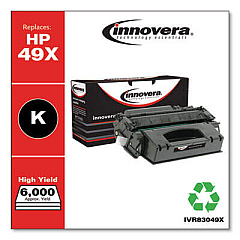
    The HP Q5949X Black Toner Cartridge has an approximate page yield of 6,000 pages.

  • Are these toner cartridges compatible with other HP LaserJet models?

    While these cartridges are designed for the HP LaserJet 1320t, they may be compatible with other HP LaserJet models. It's best to check your printer's specifications or consult HP's compatibility guide.

  • How long do these toner cartridges typically last?

    The lifespan of a toner cartridge depends on your printing volume and habits. Under normal use, they can last several months to a year.

  • Can I use third-party or refilled toner cartridges in my HP LaserJet 1320t?

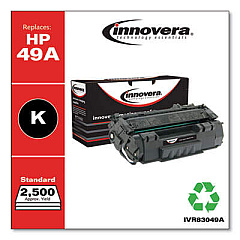
    While third-party cartridges may work, HP recommends using genuine HP toner cartridges for optimal print quality and printer performance.

  • How do I install a new toner cartridge in my HP LaserJet 1320t?

    To install a new cartridge, open the printer's front cover, remove the old cartridge, unpack the new one, and insert it into the printer until it clicks into place. Close the cover to complete installation.

  • What should I do with my empty toner cartridges?

    HP offers a recycling program for empty toner cartridges. You can return them to HP or participating retailers for environmentally friendly disposal.

  • How can I extend the life of my toner cartridge?

    To extend cartridge life, use draft mode for non-critical prints, print in grayscale when possible, and avoid unnecessary printing.

  • Are these toner cartridges covered by a warranty?

    Yes, genuine HP toner cartridges come with a warranty against defects in materials and workmanship.

  • Can I store unused toner cartridges for long periods?

    Yes, you can store unused toner cartridges for up to two years. Keep them in their original packaging, away from direct sunlight, and at room temperature.

Warehouse Locations

Policy & Agreement | Copyright © 1995-2026 BlueDogInk.com
