




Ads

Epson Stylus Pro 9800 Color Ink Cartridges

Epson Stylus Pro 9800 Maintenance Kits

Epson Stylus Pro 9800 Printer Accessories

Epson Stylus Pro 9800 Large Format Paper

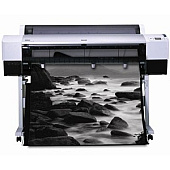
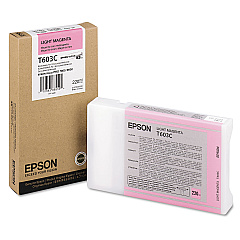
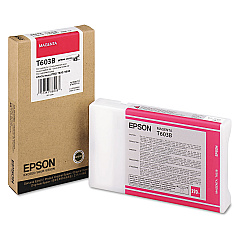
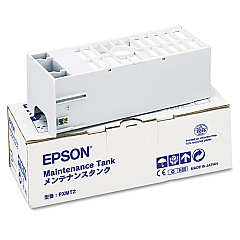
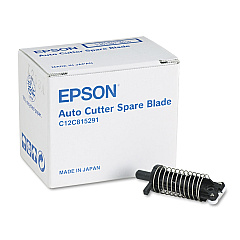
Elevate your professional printing with Epson Stylus Pro 9800 Ink Cartridges, designed for exceptional quality and performance. This advanced large-format printer relies on a range of specialized supplies to deliver stunning results. The Epson C12C815291 Replacement Printer Cutter Blade ensures precise cuts for your projects, while the Epson C12C890191 Ink Maintenance Tank efficiently manages waste ink. For vibrant color output, the Epson T603B00 Magenta Ink Cartridge and Epson T603C00 Light Magenta Ink Cartridge provide rich, long-lasting hues. These high-capacity cartridges are engineered to work seamlessly with your Epson Stylus Pro 9800, offering consistent, professional-grade prints. Whether you're in the graphic design, photography, or fine art industry, these genuine Epson supplies guarantee optimal performance and unparalleled print quality, making your Epson Stylus Pro 9800 a reliable workhorse for all your large-format printing needs.

Epson Stylus Pro 9800 Ink Cartridges FAQs

  • How often should I replace the ink cartridges in my Epson Stylus Pro 9800?

    Replacement frequency depends on usage, but typically when the printer indicates low ink levels or you notice a decrease in print quality.

  • Are third-party ink cartridges compatible with the Epson Stylus Pro 9800?

    While third-party cartridges may work, using genuine Epson cartridges is recommended for optimal print quality and to maintain your printer's warranty.

  • How do I know when to replace the cutter blade?

    Replace the cutter blade when you notice irregular or jagged cuts, or approximately every 1-2 years with regular use.

  • What is the purpose of the Ink Maintenance Tank?

    The Ink Maintenance Tank collects waste ink during printing and maintenance operations, preventing it from contaminating the printer's internal components.

  • Can I use the Epson Stylus Pro 9800 if one color cartridge is empty?

    The printer will not function if any cartridge is empty. All cartridges must have ink for the printer to operate.

  • How long do unopened ink cartridges last?

    Unopened cartridges typically last up to two years from the production date if stored properly in a cool, dark place.

  • Is it necessary to shake the ink cartridges before installation?

    Yes, gently shaking the cartridges before installation helps ensure even ink distribution and optimal print quality.

  • How often should I perform maintenance on my Epson Stylus Pro 9800?

    Regular maintenance, such as nozzle checks and cleanings, should be performed weekly or before important print jobs.

  • Can I refill the Epson Stylus Pro 9800 ink cartridges?

    Refilling cartridges is not recommended as it may damage the printer and void the warranty. Always use new, genuine Epson cartridges.

  • What should I do if my prints have banding or color issues?

    First, perform a nozzle check and cleaning. If issues persist, you may need to replace one or more ink cartridges or align the print head.

Warehouse Locations

Policy & Agreement | Copyright © 1995-2026 BlueDogInk.com
