




Ads

Epson Stylus Pro 9600 Dye Maintenance Kits

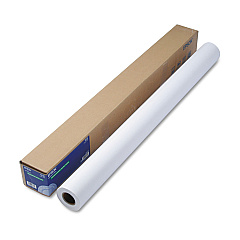
Epson Stylus Pro 9600 Dye Large Format Paper

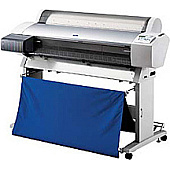
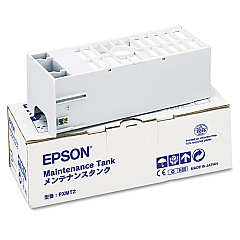
Elevate your printing experience with Epson Stylus Pro 9600 Dye Ink Cartridges, designed to deliver exceptional quality and performance for professional-grade output. These high-capacity cartridges are specifically engineered for the Epson Stylus Pro 9600 printer, ensuring optimal color accuracy, vibrancy, and longevity in your prints. The system includes the essential Epson C12C890191 Ink Maintenance Tank, which efficiently collects waste ink during printing and cleaning processes, maintaining your printer's peak performance. Whether you're in the business of fine art reproduction, photography, or large-format printing, these dye-based inks provide rich, true-to-life colors that stand the test of time. With Epson's renowned reliability and cutting-edge technology, these cartridges offer seamless compatibility and consistent results, making them the ideal choice for professionals who demand nothing but the best in their printing solutions.

Epson Stylus Pro 9600 Dye Ink Cartridges FAQs

  • What is the capacity of the Epson Stylus Pro 9600 Dye Ink Cartridges?

    The capacity varies depending on the specific color cartridge, but they typically range from 110ml to 220ml.

  • How often should I replace the Epson C12C890191 Ink Maintenance Tank?

    The maintenance tank should be replaced when prompted by the printer, which is usually after several thousand prints, depending on usage.

  • Are these cartridges compatible with other Epson printers?

    No, these cartridges are specifically designed for the Epson Stylus Pro 9600 and are not compatible with other models.

  • What colors are available in the Epson Stylus Pro 9600 Dye Ink Cartridges set?

    The set typically includes Cyan, Light Cyan, Magenta, Light Magenta, Yellow, and Black.

  • How long do prints made with these dye inks last?

    With proper storage and care, prints can last up to 70 years without significant fading.

  • Can I use third-party ink cartridges in my Epson Stylus Pro 9600?

    While third-party options exist, using genuine Epson cartridges ensures the best print quality and prevents potential damage to your printer.

  • How do I install the ink cartridges in my Epson Stylus Pro 9600?

    Turn on the printer, open the ink compartment, remove the old cartridge, and insert the new one until it clicks into place. The printer will recognize the new cartridge automatically.

  • What is the shelf life of unopened Epson Stylus Pro 9600 Dye Ink Cartridges?

    Unopened cartridges typically have a shelf life of two years from the production date when stored properly.

  • Can I refill these ink cartridges?

    Epson does not recommend refilling cartridges as it may affect print quality and potentially damage the printer. It's best to use new, genuine Epson cartridges.

  • How do I know when it's time to replace an ink cartridge?

    The printer will display a message on its control panel when an ink cartridge is running low or needs replacement.

Warehouse Locations

Policy & Agreement | Copyright © 1995-2026 BlueDogInk.com
