













Ads

Epson Stylus Photo RX595 Photo Paper

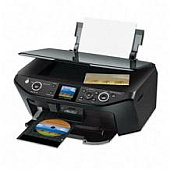
Enhance your printing experience with genuine Epson Stylus Photo RX595 Ink Cartridges. This versatile all-in-one printer delivers exceptional photo quality and vibrant color output for both personal and professional use. The RX595 utilizes a six-color ink system, including the Epson T077920 Color Ink Cartridge Multipack, which contains individual cartridges for black, cyan, magenta, yellow, light cyan, and light magenta. Each cartridge is also available separately, allowing you to replace only the colors you need. With Epson's advanced DURABrite Ultra pigment ink technology, your prints will resist fading, water damage, and smudging, ensuring long-lasting, gallery-quality results. Whether you're printing photos, documents, or creative projects, these high-capacity cartridges provide excellent page yields and cost-effective printing solutions for your Epson Stylus Photo RX595.

Epson Stylus Photo RX595 Ink Cartridges FAQs

  • How long do Epson Stylus Photo RX595 Ink Cartridges typically last?

    The lifespan of ink cartridges varies depending on usage, but on average, they can last 3-6 months for regular home use.

  • Can I use third-party ink cartridges in my Epson Stylus Photo RX595?

    While third-party cartridges may work, Epson recommends using genuine Epson cartridges for optimal print quality and to avoid potential damage to your printer.

  • How do I know when it's time to replace an ink cartridge?

    Your printer will display a low ink warning on its LCD screen or through your computer when a cartridge needs replacement.

  • Are Epson Stylus Photo RX595 Ink Cartridges recyclable?

    Yes, Epson offers a cartridge recycling program. You can return your used cartridges to Epson or participating retailers for proper recycling.

  • Can I replace individual color cartridges, or do I need to replace them all at once?

    You can replace individual color cartridges as needed, which helps reduce waste and save money.

  • What's the difference between the T077920 and T078920 Color Ink Cartridge Multipacks?

    The T077920 is a standard capacity multipack, while the T078920 is a high-capacity multipack, offering more ink and longer print life.

  • How do I properly store unused ink cartridges?

    Store cartridges in a cool, dry place at room temperature. Keep them in their original packaging until ready for use to prevent drying out.

  • Are these ink cartridges compatible with other Epson printer models?

    These cartridges are specifically designed for the Epson Stylus Photo RX595. Always check your printer's manual for compatible cartridge models.

  • How many pages can I print with a single set of Epson Stylus Photo RX595 Ink Cartridges?

    Page yield varies depending on the content being printed, but a full set of high-capacity cartridges can typically print several hundred pages.

  • What should I do if my printer doesn't recognize a new ink cartridge?

    Ensure the cartridge is properly installed and seated. If issues persist, clean the cartridge contacts and try reinserting it. Contact Epson support if problems continue.

Warehouse Locations

Policy & Agreement | Copyright © 1995-2026 BlueDogInk.com
