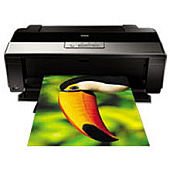














Epson Stylus Photo R1900 Photo Printers Supplies

Ads

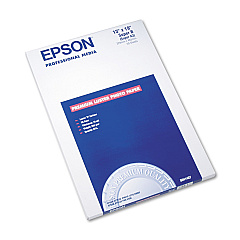
Epson Stylus Photo R1900 Photo Paper

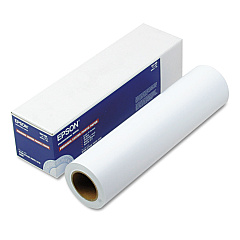
Epson Stylus Photo R1900 Large Format Paper

Elevate your printing experience with Epson Stylus Photo R1900 Ink Cartridges, designed to deliver exceptional quality and vibrant colors for your professional and personal projects. This comprehensive set includes eight specialized cartridges: Gloss Optimizer, Photo Black, Cyan, Magenta, Yellow, Red, Matte Black, and Orange. The unique combination ensures stunning photo reproductions with rich, true-to-life hues and smooth gradations. Whether you're printing glossy photographs, matte fine art prints, or anything in between, these cartridges provide the versatility and performance you need. The Epson Stylus Photo R1900 Ink Cartridges are engineered to work seamlessly with your printer, offering long-lasting, fade-resistant results that will impress even the most discerning eyes. Trust in Epson's renowned quality to bring your creative vision to life with unparalleled clarity and brilliance.

Epson Stylus Photo R1900 Photo Printers Supplies FAQs

  • How long do Epson Stylus Photo R1900 Ink Cartridges typically last?

    The lifespan of these cartridges varies depending on usage, but they generally last for several hundred prints. Heavy users may need to replace them more frequently.

  • Are these ink cartridges compatible with other Epson printer models?

    No, these cartridges are specifically designed for the Epson Stylus Photo R1900 printer and are not compatible with other models.

  • What is the purpose of the Gloss Optimizer cartridge?

    The Gloss Optimizer helps achieve a uniform glossy finish on photo papers, reducing gloss differential and enhancing overall print quality.

  • Can I use third-party ink cartridges instead of genuine Epson ones?

    While third-party options exist, using genuine Epson cartridges ensures optimal print quality and helps maintain your printer's warranty.

  • How should I store unused ink cartridges?

    Store cartridges in a cool, dry place away from direct sunlight. Keep them in their original packaging until ready for use to prevent drying out.

  • What's the difference between Photo Black and Matte Black ink?

    Photo Black is used for glossy media, while Matte Black is optimized for matte papers, providing deeper blacks on non-glossy surfaces.

  • How do I know when it's time to replace a cartridge?

    Your printer will display a low ink warning. You can also check ink levels through the printer software on your computer.

  • Are these ink cartridges environmentally friendly?

    Epson designs their cartridges with recyclability in mind. Many regions have Epson ink cartridge recycling programs available.

  • Can I replace individual color cartridges, or do I need to replace them all at once?

    You can replace individual cartridges as needed. There's no need to replace all colors simultaneously unless they're all depleted.

  • What should I do if my printer doesn't recognize a new cartridge?

    Ensure the cartridge is properly seated and the chip is clean. If issues persist, try removing and reinserting the cartridge or cleaning the printer's contacts.

Warehouse Locations

Policy & Agreement | Copyright © 1995-2026 BlueDogInk.com
