




Ads

Epson Stylus Pro 4880 ColorBurst Black Ink Cartridges

Epson Stylus Pro 4880 ColorBurst Color Ink Cartridges

Epson Stylus Pro 4880 ColorBurst Maintenance Kits

Epson Stylus Pro 4880 ColorBurst Printer Accessories

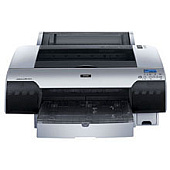
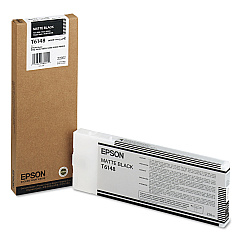
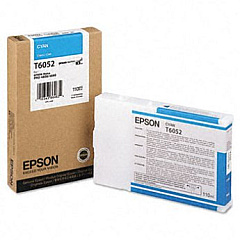
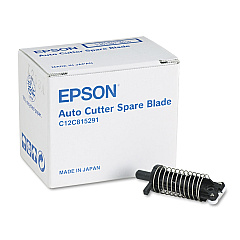
Elevate your printing capabilities with Epson Stylus Pro 4880 ColorBurst Ink Cartridges, designed to deliver exceptional quality and performance. This comprehensive range includes various color options such as Cyan, Photo Black, Vivid Magenta, Yellow, Light Cyan, Vivid Light Magenta, Light Black, Light Light Black, and Matte Black. These high-capacity cartridges ensure vibrant, long-lasting prints for your professional needs. The system also incorporates essential maintenance components like the C12C815291 Replacement Printer Cutter Blade and C12C890191 Ink Maintenance Tank, ensuring optimal printer performance. Whether you're in business, education, healthcare, or wholesale, these Epson cartridges provide the reliability and color accuracy required for high-quality, large-format printing. Maximize your Epson Stylus Pro 4880's potential with these genuine Epson supplies, guaranteeing consistent, professional results every time.

Epson Stylus Pro 4880 ColorBurst Ink Cartridges FAQs

  • How long do Epson Stylus Pro 4880 ColorBurst Ink Cartridges typically last?

    The lifespan of these cartridges varies depending on usage, but they are high-capacity and designed for professional use, typically lasting longer than standard cartridges.

  • Are these cartridges compatible with other Epson printers?

    No, these cartridges are specifically designed for the Epson Stylus Pro 4880 ColorBurst printer and may not be compatible with other models.

  • How often should I replace the Epson C12C815291 Replacement Printer Cutter Blade?

    The frequency of replacement depends on usage, but typically, the cutter blade should be replaced when you notice a decline in cutting quality or after extensive use.

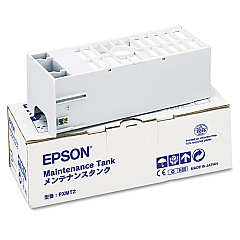
  • What is the purpose of the Epson C12C890191 Ink Maintenance Tank?

    The Ink Maintenance Tank collects waste ink during printing and cleaning processes, helping to maintain the printer's performance and prevent ink leaks.

  • Can I use third-party ink cartridges with the Epson Stylus Pro 4880?

    While third-party cartridges may work, using genuine Epson cartridges ensures optimal print quality and helps maintain your printer's warranty.

  • How do I know when it's time to replace an ink cartridge?

    The printer will display a message when ink levels are low. You can also check ink levels through the printer's control panel or your computer's printer software.

  • What's the difference between Photo Black and Matte Black ink?

    Photo Black is used for glossy media, providing deep blacks and rich colors, while Matte Black is optimized for matte and fine art papers, offering better density on these surfaces.

  • Are these cartridges environmentally friendly?

    Epson designs its cartridges with environmental considerations in mind, and they can be recycled through Epson's cartridge recycling program.

  • How should I store unused ink cartridges?

    Store unused cartridges in a cool, dry place away from direct sunlight. Keep them in their original packaging until ready for use to maintain their quality.

  • Can I mix old and new ink cartridges in the printer?

    Yes, you can use a mix of old and new cartridges as long as they are all genuine Epson cartridges designed for the Stylus Pro 4880 ColorBurst printer.

Warehouse Locations

Policy & Agreement | Copyright © 1995-2026 BlueDogInk.com
