













Ads

Epson PM240 Color Ink Cartridges

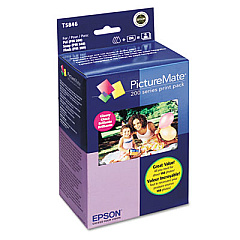
  • Epson T5846 Print Pack

    Item T5846

    Epson T5846 Print Pack

    PictureMate Print Pack; Contains 1 Ink Cartridge, 150 Sheets of Glossy 4" x 6" P..

    Status

    In Stock

    $43.04

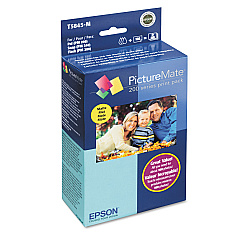
  • Epson T5845-M Print Pack

    Item T5845-M

    Epson T5845-M Print Pack

    PictureMate Print Pack; Contains 1 Ink Cartridge, 100 Sheets of Matte 4" x 6" Ph..

    Status

    In Stock

    $36.54

Epson PM240 Photo Paper

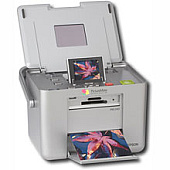
Ensure your Epson PM240 printer delivers exceptional prints with genuine Epson PM240 Ink Cartridges. These high-quality cartridges, including the Epson T5845-M Print Pack and Epson T5846 Print Pack, are designed specifically for optimal performance in your PM240 printer. With vibrant colors and sharp text, these cartridges produce professional-grade photos and documents every time. The Epson T5845-M Print Pack offers convenient all-in-one packaging, combining ink and photo paper for hassle-free printing. Meanwhile, the Epson T5846 Print Pack provides a cost-effective solution for high-volume printing needs. Both options guarantee consistent, fade-resistant results that bring your images to life. Trust in Epson's renowned quality and reliability to keep your PM240 printer running smoothly and efficiently. Don't compromise on your printing experience – choose genuine Epson PM240 Ink Cartridges for unparalleled results.

Epson PM240 Ink Cartridges FAQs

  • How long do Epson PM240 Ink Cartridges typically last?

    The lifespan of Epson PM240 Ink Cartridges varies depending on usage, but they generally last for about 150-200 prints.

  • Are Epson PM240 Ink Cartridges compatible with other Epson printer models?

    No, Epson PM240 Ink Cartridges are specifically designed for use with the Epson PM240 printer model only.

  • What's the difference between the T5845-M and T5846 Print Packs?

    The T5845-M includes both ink and photo paper, while the T5846 is an ink-only pack for those who already have paper.

  • Can I use third-party ink cartridges in my Epson PM240 printer?

    While third-party cartridges may work, using genuine Epson cartridges ensures the best print quality and protects your printer's warranty.

  • How do I install Epson PM240 Ink Cartridges?

    Open the printer's cartridge cover, remove the old cartridge, insert the new one until it clicks, and close the cover. The printer will recognize the new cartridge automatically.

  • Are Epson PM240 Ink Cartridges recyclable?

    Yes, Epson offers a cartridge recycling program. You can return used cartridges to Epson or participating retailers for proper recycling.

  • How should I store unused Epson PM240 Ink Cartridges?

    Store cartridges in a cool, dry place away from direct sunlight. Keep them in their original packaging until ready for use to prevent drying out.

  • Do Epson PM240 Ink Cartridges come with a warranty?

    Yes, genuine Epson cartridges come with a limited warranty against defects in workmanship and materials.

  • Can I refill Epson PM240 Ink Cartridges?

    Epson does not recommend refilling cartridges as it may affect print quality and potentially damage your printer.

  • How can I check the ink levels in my Epson PM240 Ink Cartridges?

    You can check ink levels through your printer's control panel or by using the Epson status monitor software on your computer.

Warehouse Locations

Policy & Agreement | Copyright © 1995-2026 BlueDogInk.com
