













Ads

Epson B-310N Black Ink Cartridges

Epson B-310N Color Ink Cartridges

Epson B-310N Maintenance Kits

Epson B-310N Photo Paper

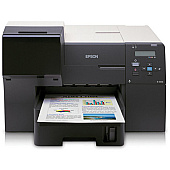
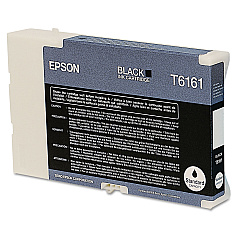
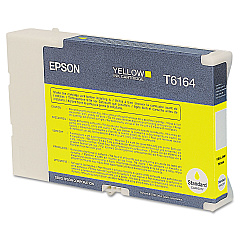
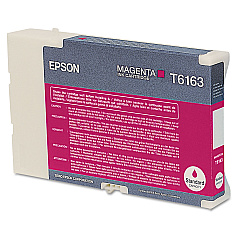
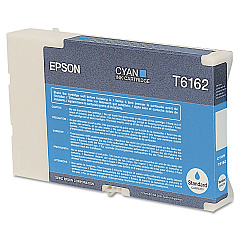
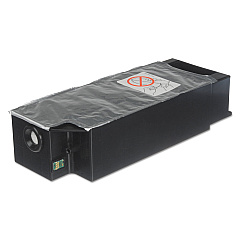
Ensure your Epson B-310N printer maintains its exceptional performance with genuine Epson B-310N Ink Cartridges. This high-capacity business printer relies on a range of color cartridges, including the T616100 Black, T616200 Cyan, T616300 Magenta, and T616400 Yellow. These cartridges deliver crisp text and vibrant graphics, perfect for professional documents and presentations. For optimal maintenance, the T619000 Maintenance Kit is essential to keep your printer running smoothly. By using authentic Epson supplies, you'll maximize print quality, minimize downtime, and extend the life of your printer. Whether you're in a corporate office, educational institution, or healthcare facility, these reliable ink cartridges ensure consistent, high-quality output for all your printing needs. Trust in Epson's superior technology to support your business operations with efficient, cost-effective printing solutions.

Epson B-310N Ink Cartridges FAQs

  • How long do Epson B-310N ink cartridges typically last?

    The lifespan of ink cartridges varies depending on usage, but high-capacity cartridges for the B-310N can typically print several thousand pages before needing replacement.

  • Can I use third-party ink cartridges in my Epson B-310N printer?

    While third-party cartridges may work, using genuine Epson cartridges is recommended to ensure optimal print quality and to avoid potential damage to your printer.

  • How often should I replace the maintenance kit?

    The maintenance kit should be replaced approximately every 50,000 pages or as indicated by your printer's maintenance alert.

  • Are these ink cartridges compatible with other Epson printer models?

    The T616 series cartridges are designed specifically for the Epson B-310N and may not be compatible with other models. Always check your printer's manual for compatibility.

  • How can I tell when it's time to replace an ink cartridge?

    Your Epson B-310N printer will display a low ink warning when a cartridge needs to be replaced. You can also check ink levels through the printer's control panel or driver software.

  • What's included in the T619000 Maintenance Kit?

    The maintenance kit typically includes items such as the ink pad, pump assembly, and other components that require periodic replacement to maintain printer performance.

  • Can I recycle used Epson ink cartridges?

    Yes, Epson offers a cartridge recycling program. You can return used cartridges to Epson or participating retailers for environmentally friendly disposal.

  • What's the shelf life of unopened ink cartridges?

    Unopened Epson ink cartridges typically have a shelf life of two years from the date of production when stored properly at room temperature.

  • How can I ensure the best print quality with my Epson B-310N?

    Use genuine Epson cartridges, perform regular maintenance, and keep the printer clean. Also, use appropriate paper for your printing needs and adjust print settings as necessary.

  • Is it necessary to replace all color cartridges at the same time?

    No, you only need to replace the specific color cartridge that has run out. However, for optimal color balance, consider replacing all color cartridges if they're low.

Warehouse Locations

Policy & Agreement | Copyright © 1995-2026 BlueDogInk.com
