













Ads

Epson Stylus NX510 Photo Paper

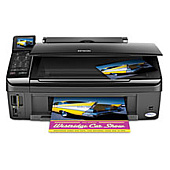
Enhance your printing experience with genuine Epson Stylus NX510 Ink Cartridges. These high-quality cartridges are designed to deliver exceptional results for your home or office printing needs. Choose from a variety of options, including single color cartridges, multi-packs, and high-capacity variants to suit your specific requirements. The range includes black, cyan, magenta, and yellow ink cartridges, ensuring vibrant and accurate color reproduction. Dual packs of black ink cartridges are available for cost-effective, high-volume printing. The Epson T069120-BCS Ink Cartridge Combo Pack offers a convenient all-in-one solution. With options like the T068520 High-Capacity Multi-Pack Color Ink Cartridge, you can maximize your printing efficiency. Trust in the reliability and performance of genuine Epson ink cartridges to produce crisp text and vivid images every time you print with your Epson Stylus NX510.

Epson Stylus NX510 Ink Cartridges FAQs

  • Are these ink cartridges compatible with other Epson printers?

    These cartridges are specifically designed for the Epson Stylus NX510. Always check your printer's compatibility before purchasing.

  • How long do these ink cartridges typically last?

    The lifespan of ink cartridges varies depending on usage, but on average, they can last for several hundred pages.

  • Can I use third-party ink cartridges in my Epson Stylus NX510?

    While third-party cartridges may work, using genuine Epson cartridges ensures optimal print quality and prevents potential damage to your printer.

  • What's the difference between standard and high-capacity ink cartridges?

    High-capacity cartridges contain more ink and are ideal for frequent printing, offering better value for high-volume users.

  • How do I install these ink cartridges?

    Installation is simple. Open your printer's ink cartridge compartment, remove the old cartridge, and insert the new one until it clicks into place.

  • Are these cartridges recyclable?

    Yes, Epson offers a cartridge recycling program. Check their website for details on how to recycle your used cartridges.

  • What should I do if my printer doesn't recognize the new cartridge?

    Try removing and reinserting the cartridge. If the issue persists, clean the cartridge contacts and try again.

  • Can I buy individual color cartridges or do I have to buy a multi-pack?

    Both options are available. You can purchase individual color cartridges or choose a multi-pack for convenience.

  • How long can I store unused ink cartridges?

    Unopened cartridges can typically be stored for up to two years. Always check the expiration date on the package.

  • What's the advantage of buying a dual pack of black ink cartridges?

    Dual packs often offer better value for money and ensure you always have a spare cartridge on hand for uninterrupted printing.

Warehouse Locations

Policy & Agreement | Copyright © 1995-2026 BlueDogInk.com
