









Ads

Dell 5230n Black Toner Cartridges

Dell 5230n Copy Paper

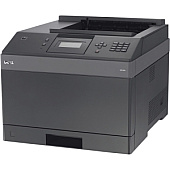
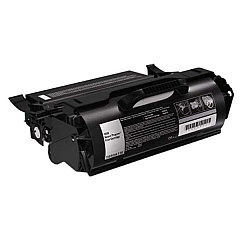
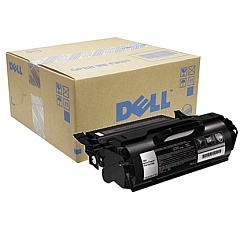
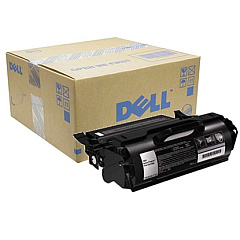
Ensure your Dell 5230n printer maintains its high-quality output with our range of Dell 5230n Toner Cartridges. These reliable cartridges are designed to deliver crisp, clear text and sharp images for all your printing needs. Choose from the Dell D524T Black Toner Cartridge for standard yield, the Dell F361T Black Toner Cartridge for high yield, or the Dell F362T Black Toner Cartridge for extra high yield to suit your printing volume. Each cartridge is engineered to work seamlessly with your Dell 5230n printer, providing consistent performance and reducing downtime. Whether you're printing important business documents, educational materials, or healthcare records, these toner cartridges ensure professional results every time. Invest in genuine Dell toner cartridges to maximize your printer's efficiency and protect your investment in the long run.

Dell 5230n Toner Cartridges FAQs

  • What is the page yield for each Dell 5230n toner cartridge?

    The Dell D524T yields approximately 7,000 pages, the F361T yields about 21,000 pages, and the F362T yields around 32,000 pages.

  • Are these toner cartridges compatible with other Dell printer models?

    These cartridges are specifically designed for the Dell 5230n printer. Always check your printer's compatibility before purchasing.

  • How long do Dell 5230n toner cartridges typically last?

    The lifespan depends on usage, but unopened cartridges can last up to two years if stored properly.

  • Can I use third-party toner cartridges in my Dell 5230n printer?

    While third-party cartridges may work, using genuine Dell cartridges ensures optimal performance and maintains your printer's warranty.

  • How do I install a new toner cartridge in my Dell 5230n printer?

    Open the front cover, remove the old cartridge, unpack the new one, and insert it until it clicks into place. Close the cover to complete installation.

  • What should I do with my used Dell 5230n toner cartridges?

    Dell offers a free recycling program for used toner cartridges. Visit their website or contact customer support for details.

  • How can I tell if my Dell 5230n toner cartridge is running low?

    Your printer's display panel will show a low toner warning. You can also check toner levels through the printer software on your computer.

  • Are Dell 5230n toner cartridges available in colors other than black?

    No, the Dell 5230n is a monochrome printer, so only black toner cartridges are available for this model.

  • Can I shake the toner cartridge to extend its life?

    Gently shaking the cartridge can help redistribute toner and slightly extend its life, but it's not a long-term solution for a depleted cartridge.

  • What's the difference between the D524T, F361T, and F362T toner cartridges?

    The main difference is their yield capacity. The D524T is standard yield, F361T is high yield, and F362T is extra high yield, offering more prints per cartridge.

Warehouse Locations

Policy & Agreement | Copyright © 1995-2026 BlueDogInk.com
