









Ads

Dell 3010cn Drum Units

Dell 3010cn Copy Paper

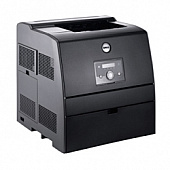
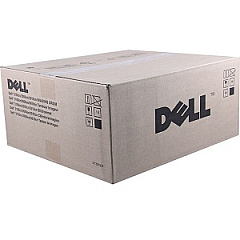
Enhance your printing experience with genuine Dell 3010cn Toner Cartridges, designed specifically for the Dell 3010cn color laser printer. These high-quality cartridges deliver crisp text and vibrant colors, ensuring professional-looking documents every time. The Dell P4866 Imaging Drum Kit is an essential component that works seamlessly with these toner cartridges to produce sharp, long-lasting prints. Whether you're in a busy office, educational institution, healthcare facility, or government agency, these reliable toner cartridges meet the demands of high-volume printing. They offer excellent page yield and consistent performance, reducing downtime and maintenance costs. By choosing authentic Dell 3010cn Toner Cartridges, you're investing in superior print quality and optimal printer performance. Don't compromise on your printing needs – trust Dell's innovative technology to deliver exceptional results for all your business, educational, or organizational printing requirements.

Dell 3010cn Toner Cartridges FAQs

  • What is the page yield of Dell 3010cn Toner Cartridges?

    The page yield varies depending on the specific cartridge, but typically ranges from 4,000 to 8,000 pages for black and 4,000 pages for color cartridges.

  • Are these toner cartridges compatible with other Dell printer models?

    Dell 3010cn Toner Cartridges are specifically designed for the Dell 3010cn printer model and may not be compatible with other Dell printers.

  • How often should I replace the Dell P4866 Imaging Drum Kit?

    The imaging drum kit typically needs replacement after processing about 20,000 to 24,000 pages, depending on usage patterns.

  • Can I use third-party toner cartridges in my Dell 3010cn printer?

    While third-party cartridges may work, using genuine Dell toner cartridges ensures optimal print quality and prevents potential damage to your printer.

  • How do I install new toner cartridges in my Dell 3010cn printer?

    To install new cartridges, open the front cover, remove the old cartridge, and insert the new one until it clicks into place. Close the cover to complete installation.

  • Are Dell 3010cn Toner Cartridges environmentally friendly?

    Dell offers a recycling program for used toner cartridges, promoting environmental sustainability.

  • How long do unopened Dell 3010cn Toner Cartridges last?

    Unopened toner cartridges typically have a shelf life of 1-2 years when stored in a cool, dry place away from direct sunlight.

  • Can I buy individual color cartridges or do I need to replace all colors at once?

    You can purchase and replace individual color cartridges as needed, allowing for more cost-effective management of your printing supplies.

  • What should I do if my prints are coming out faded or streaky?

    First, check if the toner cartridge is low and replace if necessary. If the issue persists, try cleaning the printer's internal components or replacing the imaging drum kit.

  • Does using genuine Dell 3010cn Toner Cartridges affect my printer's warranty?

    Using genuine Dell toner cartridges helps maintain your printer's warranty. Using third-party cartridges may void the warranty if they cause damage to the printer.

Warehouse Locations

Policy & Agreement | Copyright © 1995-2026 BlueDogInk.com
