











Ads

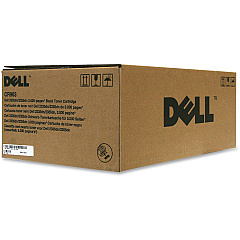
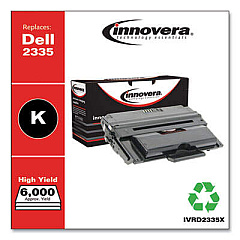
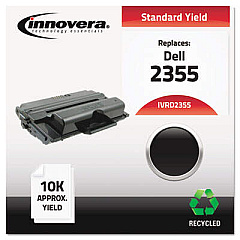
Dell 2355dn Black Toner Cartridges

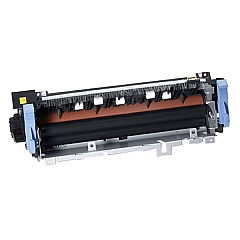
Dell 2355dn Fusers

Dell 2355dn Copy Paper

Ensure uninterrupted printing with high-quality Dell 2355dn Toner Cartridges from BlueDogInk.com. Our selection includes the essential Dell 331-0611 Black Toner Cartridge, the reliable Dell CR963 Black Toner Cartridge, and the long-lasting Dell YTVTC Black Toner Cartridge. For optimal printer maintenance, we also offer the Dell KW449 Fuser Unit. These genuine Dell supplies are designed to deliver crisp, professional-quality prints for your business, educational institution, government office, healthcare facility, or wholesale operation. Our Dell 2355dn Toner Cartridges provide consistent performance, exceptional page yields, and cost-effective printing solutions. Trust BlueDogInk.com to keep your Dell 2355dn multifunction printer running smoothly with our extensive range of authentic Dell toner cartridges and printer supplies. Experience the difference in print quality and reliability with our premium Dell 2355dn Toner Cartridges.

Dell 2355dn Toner Cartridges FAQs

  • What is the page yield for the Dell 331-0611 Black Toner Cartridge?

    The Dell 331-0611 Black Toner Cartridge has a page yield of approximately 10,000 pages at 5% coverage.

  • Are these Dell 2355dn Toner Cartridges compatible with other Dell printer models?

    These toner cartridges are specifically designed for the Dell 2355dn printer. Always check your printer's compatibility before purchasing.

  • How often should I replace the Dell KW449 Fuser Unit?

    The Dell KW449 Fuser Unit typically needs replacement after 100,000 to 150,000 pages, depending on usage.

  • Can I use third-party toner cartridges in my Dell 2355dn printer?

    While third-party cartridges may work, using genuine Dell toner cartridges ensures optimal print quality and prevents potential damage to your printer.

  • What's the difference between the Dell CR963 and YTVTC Black Toner Cartridges?

    The main difference is typically the page yield, with the YTVTC generally offering a higher yield than the CR963.

  • How do I install a new toner cartridge in my Dell 2355dn printer?

    To install a new cartridge, open the front cover, remove the old cartridge, unpack the new one, and insert it until it clicks into place. Then close the cover.

  • Are these Dell 2355dn Toner Cartridges environmentally friendly?

    Dell offers a recycling program for used toner cartridges, promoting environmental sustainability.

  • How long do unopened Dell 2355dn Toner Cartridges last?

    Unopened toner cartridges can last up to two years when stored in a cool, dry place away from direct sunlight.

  • Do you offer bulk discounts on Dell 2355dn Toner Cartridges?

    Yes, we offer discounts on bulk orders. Please contact our customer service for more information on volume pricing.

  • What should I do if I experience print quality issues with my Dell 2355dn Toner Cartridges?

    First, ensure the cartridge is properly installed. If issues persist, try printing a test page or cleaning the printer. If problems continue, contact our support team for assistance.

Warehouse Locations

Policy & Agreement | Copyright © 1995-2026 BlueDogInk.com
