









Ads

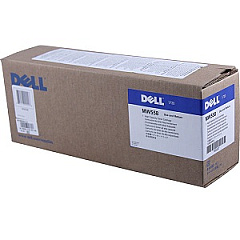
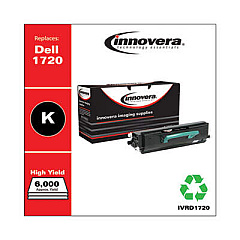
Dell 1720 Black Toner Cartridges

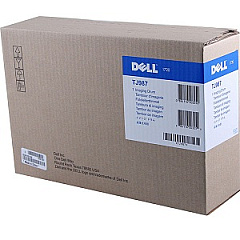
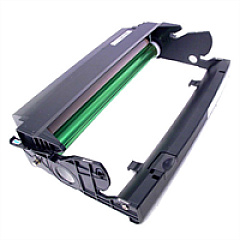
Dell 1720 Drum Units

Dell 1720 Copy Paper

Enhance your printing efficiency with genuine Dell 1720 Toner Cartridges, designed specifically for the Dell 1720 printer series. These high-quality cartridges ensure crisp, professional-grade output for all your business, educational, or healthcare documentation needs. Choose from a range of options, including the standard Dell 310-8706 Black Toner Cartridge for everyday printing, or opt for the Dell 310-8709 High Yield Black Toner Cartridge for extended print runs. The Dell 310-8710 Imaging Drum Kit guarantees optimal image quality, while alternatives like the MW558, PY408, and TJ987 offer flexibility in your printing solutions. With these reliable Dell 1720 Toner Cartridges, you'll experience consistent, superior results page after page, making them an excellent choice for offices, schools, government agencies, and healthcare facilities seeking top-notch printing performance.

Dell 1720 Toner Cartridges FAQs

  • What is the page yield of the Dell 310-8709 High Yield Black Toner Cartridge?

    The Dell 310-8709 High Yield Black Toner Cartridge typically yields around 6,000 pages at 5% coverage.

  • Are these Dell 1720 Toner Cartridges compatible with other Dell printer models?

    These cartridges are specifically designed for the Dell 1720 printer series and may not be compatible with other Dell models.

  • How often should I replace the Dell 310-8710 Imaging Drum Kit?

    The imaging drum kit typically needs replacement after processing about 30,000 pages, but this can vary based on usage patterns.

  • Can I use third-party toner cartridges in my Dell 1720 printer?

    While third-party cartridges may work, using genuine Dell cartridges ensures optimal print quality and prevents potential damage to your printer.

  • What's the difference between the Dell MW558 and PY408 Black Toner Cartridges?

    These are alternative part numbers for compatible toner cartridges. They may have slight differences in yield or manufacturing date.

  • How do I install a new toner cartridge in my Dell 1720 printer?

    Open the front cover, remove the old cartridge, unpack the new one, and insert it until it clicks into place. Close the cover to complete installation.

  • Are these toner cartridges environmentally friendly?

    Dell offers a recycling program for used toner cartridges, promoting environmental sustainability.

  • What should I do if I experience print quality issues with these cartridges?

    First, ensure the cartridge is properly installed. If issues persist, try printing a test page or cleaning the printer heads as per the user manual instructions.

  • How long can I store unused Dell 1720 Toner Cartridges?

    Unopened cartridges can typically be stored for up to two years in a cool, dry place away from direct sunlight.

  • Do these cartridges come with a warranty?

    Yes, genuine Dell toner cartridges come with a warranty against defects in materials and workmanship for the life of the cartridge.

Warehouse Locations

Policy & Agreement | Copyright © 1995-2026 BlueDogInk.com
