









Ads

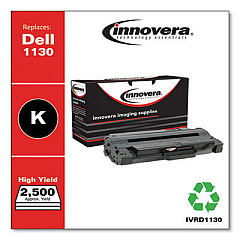
Dell 1130n Black Toner Cartridges

Dell 1130n Copy Paper

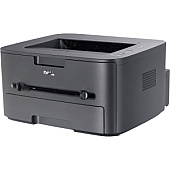
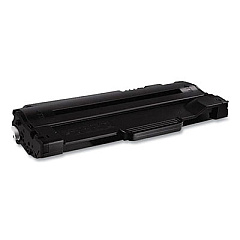
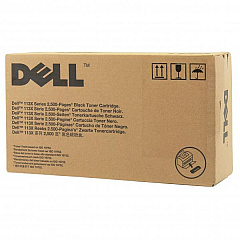
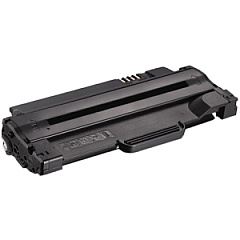
Enhance your printing efficiency with genuine Dell 1130n Toner Cartridges, designed specifically for the Dell 1130n laser printer. These high-quality cartridges, including the Dell 2MMJP, 330-9523, and 3J11D models, deliver crisp, professional-grade black text and graphics. Perfect for businesses, educational institutions, government offices, healthcare facilities, and wholesale operations, these toner cartridges ensure consistent performance and optimal print quality. With their high page yield and reliable output, Dell 1130n Toner Cartridges help reduce printing costs and minimize downtime. Compatible with various Dell printer models, these cartridges are easy to install and maintain, making them an ideal choice for busy environments. Choose genuine Dell toner cartridges to maximize your printer's performance and produce sharp, long-lasting prints that meet the demands of your organization.

Dell 1130n Toner Cartridges FAQs

  • What is the page yield of Dell 1130n Toner Cartridges?

    The page yield varies depending on the specific cartridge model, but typically ranges from 1,500 to 2,500 pages at 5% coverage.

  • Are these toner cartridges compatible with other Dell printer models?

    Yes, these cartridges are compatible with several Dell printer models. Always check your printer's specifications to ensure compatibility.

  • How long do Dell 1130n Toner Cartridges last?

    The lifespan of the cartridges depends on usage, but they typically last several months to a year under normal printing conditions.

  • Can I use third-party toner cartridges in my Dell 1130n printer?

    While third-party cartridges may work, using genuine Dell toner cartridges ensures optimal performance and print quality, and maintains your printer's warranty.

  • How do I install a new toner cartridge in my Dell 1130n printer?

    To install, open the front cover, remove the old cartridge, unpack the new one, and insert it until it clicks into place. Close the cover to complete installation.

  • What should I do with my used toner cartridges?

    Dell offers a recycling program for used toner cartridges. You can return them to Dell or find a local recycling center that accepts printer cartridges.

  • How can I extend the life of my Dell 1130n Toner Cartridges?

    To extend cartridge life, use draft mode for non-critical prints, print in grayscale when possible, and avoid printing unnecessary pages.

  • Are Dell 1130n Toner Cartridges covered by a warranty?

    Yes, genuine Dell toner cartridges are typically covered by a limited warranty. Check the product packaging or Dell's website for specific warranty information.

  • Can I store unused toner cartridges for long periods?

    Yes, you can store unused cartridges for up to two years. Keep them in their original packaging, away from direct sunlight, and at room temperature.

  • How do I know when it's time to replace my toner cartridge?

    Your Dell 1130n printer will display a low toner warning. You may also notice faded prints or streaks, indicating it's time for a replacement.

Warehouse Locations

Policy & Agreement | Copyright © 1995-2026 BlueDogInk.com
