







Ads

Canon Selphy CP900 Color Ink Cartridges

Canon Selphy CP900 Photo Paper

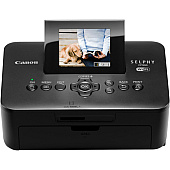
Enhance your photo printing experience with genuine Canon Selphy CP900 Ink Cartridges. These high-quality cartridges are designed specifically for the Canon Selphy CP900 printer, ensuring vibrant, long-lasting prints. The Canon KC-18IL Color Ink Label Set offers a convenient solution for creating custom labels, while the Canon KP-36IP Color Ink Paper Set provides everything you need for stunning 4x6 photo prints. Both options deliver exceptional color accuracy and durability, making them perfect for preserving your cherished memories. Whether you're printing photos for personal albums, scrapbooking, or professional use, these Canon Selphy CP900 Ink Cartridges guarantee superior results. With easy installation and compatibility, you can focus on capturing life's moments without worrying about print quality. Trust in Canon's reputation for excellence and bring your photos to life with these reliable ink cartridges.

Canon Selphy CP900 Ink Cartridges FAQs

  • How many prints can I get from a single Canon Selphy CP900 ink cartridge?

    The number of prints varies depending on the cartridge set. The KP-36IP set typically yields 36 4x6 prints, while the KC-18IL set yields 18 label prints.

  • Are these ink cartridges compatible with other Canon Selphy models?

    While some cartridges may be compatible with other Selphy models, it's best to check your printer's specific requirements to ensure compatibility.

  • How long do prints made with these cartridges last?

    Prints made with genuine Canon ink cartridges can last up to 100 years when stored properly in album conditions.

  • Can I use third-party ink cartridges with my Canon Selphy CP900?

    While third-party options exist, using genuine Canon cartridges ensures the best print quality and helps maintain your printer's warranty.

  • What's the difference between the KC-18IL and KP-36IP sets?

    The KC-18IL set is for creating labels, while the KP-36IP set is for standard 4x6 photo prints.

  • How do I install these ink cartridges in my Canon Selphy CP900?

    Simply open the ink compartment, remove the old cartridge, and insert the new one until it clicks into place. Refer to your printer's manual for detailed instructions.

  • Are these cartridges environmentally friendly?

    Canon is committed to environmental sustainability and offers recycling programs for used ink cartridges in many regions.

  • How should I store unused ink cartridges?

    Store unused cartridges in a cool, dry place away from direct sunlight. Keep them in their original packaging until ready for use.

  • Can I refill these ink cartridges?

    Canon does not recommend refilling these cartridges as it may compromise print quality and potentially damage your printer.

  • What type of paper should I use with these ink cartridges?

    For best results, use Canon-branded photo paper that matches your cartridge set, such as the paper included in the KP-36IP set.

Warehouse Locations

Policy & Agreement | Copyright © 1995-2026 BlueDogInk.com
