







Ads

Canon S750 Black Ink Cartridges

Canon S750 Color Ink Cartridges

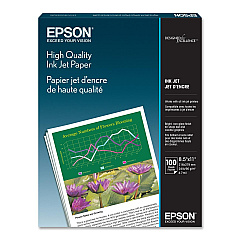
Canon S750 Photo Paper

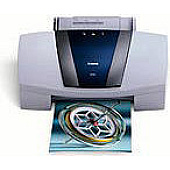
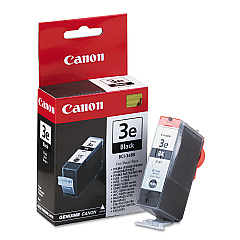
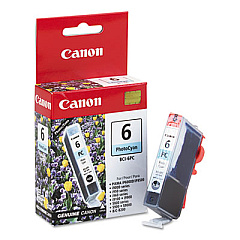
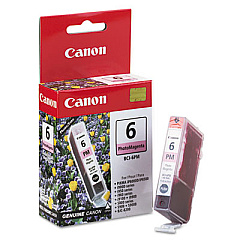
Enhance your printing experience with genuine Canon S750 Ink Cartridges, designed to deliver exceptional quality and reliability. These cartridges, including the Canon BCI-3eBk Black Ink Cartridge, Canon BCI-6PC Photo Cyan Ink Cartridge, and Canon BCI-6PM Photo Magenta Ink Cartridge, are specifically formulated to work seamlessly with your Canon S750 printer. Produce crisp text documents and vibrant photo prints with true-to-life colors. The BCI-3eBk black cartridge ensures sharp, professional-looking text, while the photo cyan and photo magenta cartridges contribute to stunning color accuracy in your images. These high-capacity cartridges offer excellent page yields, reducing the frequency of replacements and providing cost-effective printing solutions for businesses, educational institutions, and home users alike. Trust in the superior quality of genuine Canon S750 Ink Cartridges to consistently deliver outstanding results for all your printing needs.

Canon S750 Ink Cartridges FAQs

  • How long do Canon S750 Ink Cartridges typically last?

    The lifespan of Canon S750 Ink Cartridges varies depending on usage, but they generally last for several hundred pages.

  • Are these ink cartridges compatible with other Canon printer models?

    These specific cartridges are designed for the Canon S750 printer. Always check your printer's manual for compatibility information.

  • Can I use third-party ink cartridges in my Canon S750 printer?

    While third-party cartridges may work, using genuine Canon cartridges ensures optimal print quality and prevents potential damage to your printer.

  • How do I install the ink cartridges in my Canon S750 printer?

    Open the printer cover, remove the old cartridge, insert the new one until it clicks into place, and close the cover. Refer to your printer's manual for detailed instructions.

  • What should I do if my printer doesn't recognize the new ink cartridge?

    Try removing and reinserting the cartridge, cleaning the contacts, or running a printer head alignment. If issues persist, consult Canon support.

  • How can I check the ink levels in my Canon S750 printer?

    You can check ink levels through your printer's software on your computer or via the printer's control panel, if available.

  • Are these ink cartridges refillable?

    Canon does not recommend refilling ink cartridges as it may affect print quality and potentially damage your printer.

  • What's the shelf life of unopened Canon S750 Ink Cartridges?

    Unopened cartridges typically have a shelf life of 1-2 years when stored properly in a cool, dry place.

  • Can I buy these cartridges in bulk for my business?

    Yes, many suppliers offer bulk purchasing options for businesses. Contact the retailer for more information on bulk orders.

  • What should I do with empty ink cartridges?

    Canon offers a recycling program for empty cartridges. You can also check with local office supply stores or recycling centers for proper disposal options.

Warehouse Locations

Policy & Agreement | Copyright © 1995-2026 BlueDogInk.com
