








Ads

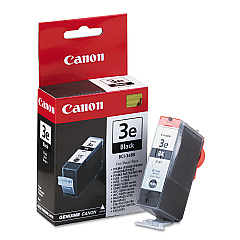
Canon S520 Black Ink Cartridges

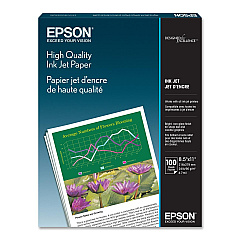
Canon S520 Photo Paper

Enhance your printing experience with genuine Canon S520 Ink Cartridges, designed specifically for the Canon S520 printer. These high-quality cartridges, including the Canon BCI-3eBk Black Ink Cartridge, deliver exceptional print quality and reliability for all your document and photo printing needs. Whether you're a business professional, educator, healthcare provider, or government agency, these ink cartridges ensure crisp text and vibrant colors that make your prints stand out. With long-lasting performance and easy installation, Canon S520 Ink Cartridges help you maintain productivity while reducing waste. Trust in the superior quality of Canon ink to produce professional-grade results every time. Don't compromise on your printing needs – choose Canon S520 Ink Cartridges for consistent, high-quality output that meets the demands of your busy work environment.

Canon S520 Ink Cartridges FAQs

  • How long do Canon S520 Ink Cartridges typically last?

    The lifespan of Canon S520 Ink Cartridges varies depending on usage, but they generally last for about 300-400 pages for black ink and 200-300 pages for color cartridges.

  • Are Canon S520 Ink Cartridges compatible with other Canon printer models?

    Canon S520 Ink Cartridges are specifically designed for the Canon S520 printer. They may be compatible with some other Canon models, but it's best to check your printer's manual or Canon's website for compatibility information.

  • Can I use third-party ink cartridges in my Canon S520 printer?

    While third-party cartridges may work, using genuine Canon S520 Ink Cartridges is recommended to ensure optimal print quality and to avoid potential damage to your printer.

  • How do I install Canon S520 Ink Cartridges?

    To install, open the printer cover, remove the old cartridge, insert the new cartridge until it clicks into place, and close the cover. Refer to your printer's manual for detailed instructions.

  • What should I do if my Canon S520 printer doesn't recognize the new ink cartridge?

    Try removing and reinserting the cartridge, cleaning the cartridge contacts, or running a printer head cleaning cycle. If issues persist, consult your printer's manual or contact Canon support.

  • How should I store unused Canon S520 Ink Cartridges?

    Store unused cartridges in a cool, dry place away from direct sunlight. Keep them in their original packaging until ready for use to prevent drying out.

  • Can I refill Canon S520 Ink Cartridges?

    While it's possible to refill cartridges, it's not recommended as it may affect print quality and potentially damage your printer. Using genuine Canon cartridges is the best option.

  • How do I know when it's time to replace my Canon S520 Ink Cartridge?

    Your printer will typically display a low ink warning. You may also notice a decrease in print quality or faded prints, indicating it's time for a replacement.

  • Are Canon S520 Ink Cartridges environmentally friendly?

    Canon offers a cartridge recycling program to reduce environmental impact. Check Canon's website for details on how to recycle your used ink cartridges.

  • What's the difference between dye-based and pigment-based ink in Canon S520 cartridges?

    The Canon S520 typically uses dye-based ink, which provides vibrant colors ideal for photos and general printing. Pigment-based ink, used in some other models, offers better water resistance and longevity.

Warehouse Locations

Policy & Agreement | Copyright © 1995-2026 BlueDogInk.com
