







Ads

Canon PIXMA mini260 Color Ink Cartridges

Canon PIXMA mini260 Photo Paper

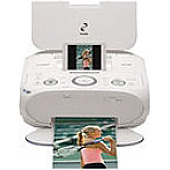
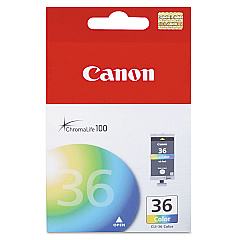
Enhance your printing experience with genuine Canon PIXMA mini260 Ink Cartridges. These high-quality cartridges are specifically designed for the compact and versatile Canon PIXMA mini260 photo printer, ensuring optimal performance and stunning results. The Canon CLI-36 Color Ink Cartridge delivers vibrant, true-to-life colors that bring your photos and documents to life. With its advanced formulation, this ink cartridge produces sharp text and smooth gradients, making it ideal for both personal and professional use. Whether you're printing cherished memories or important business documents, Canon PIXMA mini260 Ink Cartridges provide exceptional print quality and long-lasting results. Don't compromise on quality – choose genuine Canon ink cartridges to maximize your printer's potential and enjoy beautiful, fade-resistant prints that will stand the test of time. Upgrade your printing experience today with Canon PIXMA mini260 Ink Cartridges.

Canon PIXMA mini260 Ink Cartridges FAQs

  • How long does a Canon CLI-36 Color Ink Cartridge typically last?

    The lifespan of a Canon CLI-36 Color Ink Cartridge depends on usage, but it typically prints around 100-150 4x6 photos or 250-300 pages of mixed text and graphics.

  • Are Canon PIXMA mini260 Ink Cartridges compatible with other Canon printers?

    No, Canon PIXMA mini260 Ink Cartridges are specifically designed for use with the Canon PIXMA mini260 printer and may not be compatible with other models.

  • Can I use third-party ink cartridges in my Canon PIXMA mini260 printer?

    While third-party cartridges may work, using genuine Canon ink cartridges is recommended to ensure optimal print quality and to avoid potential damage to your printer.

  • How do I install a new ink cartridge in my Canon PIXMA mini260 printer?

    To install a new cartridge, turn on the printer, open the cartridge cover, remove the old cartridge, insert the new one until it clicks into place, and close the cover.

  • What should I do if my prints appear faded or have streaks?

    First, try cleaning the print head using the printer's maintenance menu. If the issue persists, you may need to replace the ink cartridge.

  • Can I recycle used Canon PIXMA mini260 Ink Cartridges?

    Yes, Canon offers a recycling program for used ink cartridges. You can return them to Canon or participating retailers for proper recycling.

  • How should I store unused ink cartridges?

    Store unused cartridges in a cool, dry place away from direct sunlight. Keep them in their original packaging until ready for use to prevent drying out.

  • Is it necessary to replace all color cartridges at once?

    No, the Canon PIXMA mini260 uses a single CLI-36 Color Ink Cartridge, so you only need to replace one cartridge when it runs out of ink.

  • How can I check the ink levels in my Canon PIXMA mini260 printer?

    You can check ink levels through the printer's LCD display or by using the Canon printer software on your computer.

  • What is the shelf life of unopened Canon PIXMA mini260 Ink Cartridges?

    Unopened ink cartridges typically have a shelf life of 1-2 years from the date of manufacture when stored properly.

Warehouse Locations

Policy & Agreement | Copyright © 1995-2026 BlueDogInk.com
