








Ads

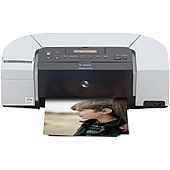
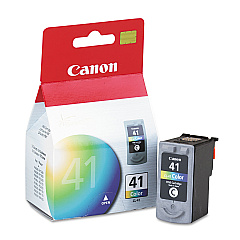
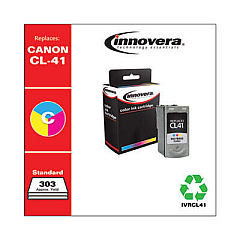
Canon PIXMA iP6210D Color Ink Cartridges

Canon PIXMA iP6210D Photo Paper

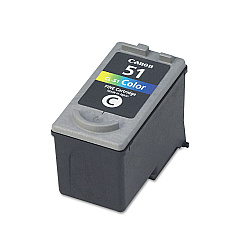
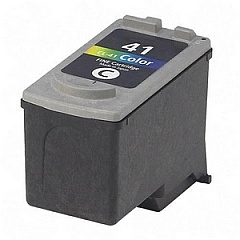
Enhance your printing experience with genuine Canon PIXMA iP6210D Ink Cartridges. These high-quality cartridges are designed specifically for the Canon PIXMA iP6210D printer, ensuring optimal performance and stunning results. Choose from a range of options, including the Canon CL-41 Color Ink Cartridge for vibrant everyday prints, the Canon CL-51 Color Ink Cartridge for increased capacity, and the Canon CL-52 Photo Ink Cartridge for professional-grade photo printing. These cartridges deliver exceptional color accuracy, sharp text, and long-lasting prints that resist fading. Whether you're printing important documents for your business, educational materials for schools, or critical healthcare records, Canon PIXMA iP6210D Ink Cartridges provide the reliability and quality you need. Trust in Canon's innovative ink technology to bring your ideas to life with crisp, clear, and colorful prints that make a lasting impression.

Canon PIXMA iP6210D Ink Cartridges FAQs

  • How long do Canon PIXMA iP6210D Ink Cartridges typically last?

    The lifespan of ink cartridges varies depending on usage, but on average, they can last for 200-300 pages for standard cartridges and up to 400-500 pages for high-capacity cartridges.

  • Are these ink cartridges compatible with other Canon printers?

    These specific cartridges are designed for the Canon PIXMA iP6210D printer. Always check your printer's manual for compatible cartridge models.

  • Can I use third-party ink cartridges in my Canon PIXMA iP6210D?

    While third-party cartridges may work, using genuine Canon ink cartridges ensures the best print quality and helps maintain your printer's warranty.

  • What's the difference between the CL-41 and CL-51 color cartridges?

    The CL-51 is a high-capacity version of the CL-41, containing more ink and allowing for more prints before replacement.

  • How do I install these ink cartridges in my Canon PIXMA iP6210D?

    Open the printer's front cover, wait for the cartridge holder to move to the center, remove the old cartridge, insert the new one until it clicks, then close the cover.

  • Can I recycle used Canon PIXMA iP6210D Ink Cartridges?

    Yes, Canon offers a cartridge recycling program. You can return used cartridges to Canon or participating retailers for proper recycling.

  • How should I store unused ink cartridges?

    Store cartridges in a cool, dry place away from direct sunlight. Keep them in their original packaging until ready for use to prevent drying out.

  • What should I do if my prints are coming out faded or streaky?

    First, try cleaning the print heads using your printer's maintenance function. If the problem persists, you may need to replace the ink cartridge.

  • Can I use the Canon CL-52 Photo Ink Cartridge for regular document printing?

    While possible, the CL-52 is optimized for photo printing. For regular documents, the CL-41 or CL-51 cartridges are more cost-effective.

  • How can I check the ink levels in my Canon PIXMA iP6210D cartridges?

    You can check ink levels through your printer's software on your computer or by accessing the printer's on-screen menu if it has a display.

Warehouse Locations

Policy & Agreement | Copyright © 1995-2026 BlueDogInk.com
