







Ads

Canon PIXMA iP4500 Photo Paper

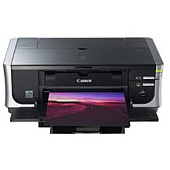
Enhance your printing experience with genuine Canon PIXMA iP4500 Ink Cartridges. These high-quality cartridges ensure vibrant, long-lasting prints for all your professional and personal needs. Choose from a variety of options, including the convenient Canon CLI-8 Color Ink Pack and Multipack for all your color printing requirements. For crisp text and sharp black-and-white documents, opt for the Canon PGI-5BK Black Ink Cartridge or the cost-effective Twin Pack. Individual color cartridges - Cyan, Magenta, and Yellow - allow for easy replacement and reduced waste. The Canon PGI-5 CLI-8 Combo Pack offers a perfect balance of black and color inks for diverse printing tasks. With these authentic Canon cartridges, your PIXMA iP4500 printer will consistently deliver superior print quality, bringing your photos and documents to life with exceptional clarity and color accuracy.

Canon PIXMA iP4500 Ink Cartridges FAQs

  • How long do Canon PIXMA iP4500 Ink Cartridges typically last?

    The lifespan of ink cartridges varies depending on usage, but on average, they can last for 200-300 pages for color cartridges and 300-400 pages for black cartridges.

  • Are these ink cartridges compatible with other Canon printers?

    While these cartridges are designed specifically for the Canon PIXMA iP4500, they may be compatible with other Canon printer models. Always check your printer's manual for compatibility information.

  • Can I use third-party ink cartridges in my Canon PIXMA iP4500?

    While third-party cartridges may work, using genuine Canon ink cartridges ensures the best print quality and helps maintain your printer's warranty.

  • What's the difference between PGI and CLI cartridges?

    PGI (Pigment Ink) cartridges contain black ink for text printing, while CLI (Chromalife Ink) cartridges contain dye-based inks for color printing.

  • How do I install new ink cartridges in my Canon PIXMA iP4500?

    Open the printer's front cover, wait for the cartridge holder to move to the center, remove the old cartridge, insert the new one until it clicks, and close the cover.

  • Can I recycle empty Canon PIXMA iP4500 Ink Cartridges?

    Yes, Canon offers a recycling program for empty ink cartridges. Check their website or local office supply stores for recycling options.

  • How can I tell if my ink cartridge is running low?

    Your printer software will typically alert you when ink levels are low. You can also check ink levels through the printer's control panel or by printing a nozzle check pattern.

  • What should I do if my printer doesn't recognize a new ink cartridge?

    Try removing and reinserting the cartridge, cleaning the cartridge contacts, or running a printer head cleaning cycle. If issues persist, contact Canon support.

  • Is it necessary to replace all color cartridges at once?

    No, you can replace individual color cartridges as needed, which helps reduce waste and save money.

  • How should I store unused ink cartridges?

    Store unused cartridges in their original packaging, at room temperature, and away from direct sunlight. Avoid extreme temperatures and humidity to maintain cartridge quality.

Warehouse Locations

Policy & Agreement | Copyright © 1995-2026 BlueDogInk.com
