







Ads

Canon MG2120 Black Ink Cartridges

Canon MG2120 Color Ink Cartridges

Canon MG2120 Photo Paper

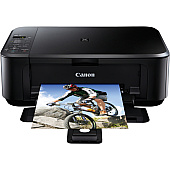
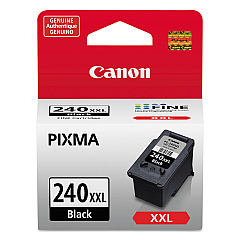
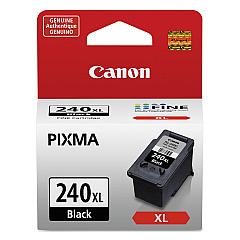
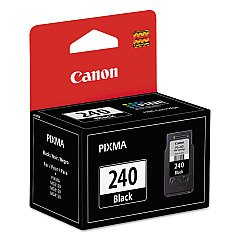
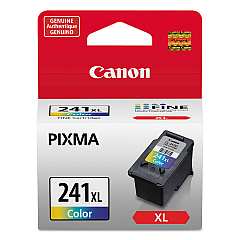
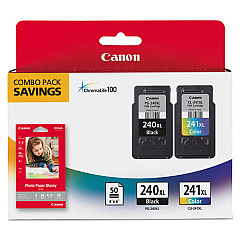
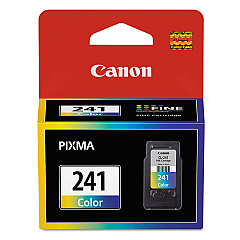
Ensure optimal print quality for your Canon PIXMA MG2120 printer with genuine Canon MG2120 Ink Cartridges. Choose from a range of options, including the standard CL-241 Color and PG-240 Black cartridges for everyday printing needs. For high-volume users, the XL and XXL variants offer extended page yields, reducing replacement frequency and overall costs. The CL-241XL Color and PG-240XL Black cartridges provide excellent color vibrancy and crisp text, while the PG-240XXL Black cartridge offers maximum longevity for text-heavy documents. For convenience, consider the PG-240XL CL-241XL combo pack with GP502 photo paper, perfect for both document and photo printing. These authentic Canon ink cartridges are designed to work seamlessly with your MG2120 printer, delivering consistent, high-quality results for all your printing needs.

Canon MG2120 Ink Cartridges FAQs

  • What ink cartridges are compatible with the Canon MG2120 printer?

    The Canon MG2120 printer is compatible with CL-241 and PG-240 series ink cartridges, including their XL and XXL variants.

  • What's the difference between standard, XL, and XXL ink cartridges?

    Standard cartridges have a regular capacity, while XL and XXL cartridges offer higher page yields, allowing you to print more pages before replacement.

  • Can I use non-Canon brand ink cartridges in my MG2120 printer?

    While third-party cartridges may work, using genuine Canon ink cartridges ensures optimal print quality and prevents potential damage to your printer.

  • How do I install ink cartridges in my Canon MG2120 printer?

    Open the printer cover, wait for the cartridge holder to move to the center, remove the old cartridge, insert the new one until it clicks, and close the cover.

  • How long do Canon MG2120 ink cartridges typically last?

    The lifespan of ink cartridges varies depending on usage, but XL and XXL cartridges generally last longer than standard ones.

  • Can I use a color cartridge if I'm only printing in black and white?

    While it's possible, it's more efficient to use the black cartridge for monochrome printing to conserve color ink.

  • What should I do if my printer doesn't recognize the new ink cartridge?

    Try removing and reinserting the cartridge, cleaning the cartridge contacts, or running the printer's alignment function.

  • Are Canon MG2120 ink cartridges refillable?

    While some users refill cartridges, Canon doesn't recommend this as it may affect print quality and potentially damage the printer.

  • What's included in the PG-240XL CL-241XL with GP502 combo pack?

    This combo pack includes a PG-240XL black cartridge, a CL-241XL color cartridge, and GP502 glossy photo paper.

  • How can I check the ink levels in my Canon MG2120 printer?

    You can check ink levels through the printer's control panel or by using the Canon printer software on your computer.

Warehouse Locations

Policy & Agreement | Copyright © 1995-2026 BlueDogInk.com
