









Ads

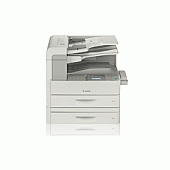
Canon LaserCLASS 830i Black Toner Cartridges

Canon LaserCLASS 830i Copy Paper

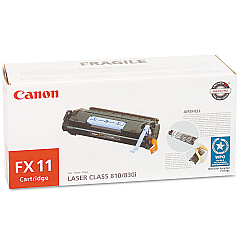
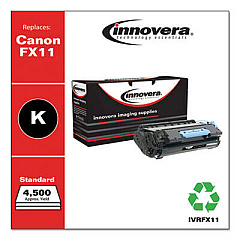
Ensure uninterrupted productivity with genuine Canon LaserCLASS 830i Toner Cartridges. These high-quality consumables are specifically designed for the Canon LaserCLASS 830i printer, delivering crisp, professional-grade output for your business documents. The Canon FX-11 Black Toner Cartridge is the perfect choice for this model, offering exceptional print quality and reliability. With its high-yield capacity, you'll enjoy fewer cartridge changes and reduced downtime. These toner cartridges are engineered to work seamlessly with your Canon LaserCLASS 830i, preventing potential damage to your printer and maintaining its optimal performance. Whether you're printing important business proposals, educational materials, or healthcare documents, these toner cartridges ensure consistent, smudge-free results. Invest in genuine Canon LaserCLASS 830i Toner Cartridges to maximize your printer's potential and achieve professional-quality prints every time.

Canon LaserCLASS 830i Toner Cartridges FAQs

  • What is the page yield of the Canon FX-11 Black Toner Cartridge?

    The Canon FX-11 Black Toner Cartridge typically yields approximately 4,500 pages at 5% coverage.

  • Are these toner cartridges compatible with other Canon printer models?

    The Canon FX-11 Black Toner Cartridge is specifically designed for the Canon LaserCLASS 830i and may not be compatible with other models. Always check your printer's compatibility before purchasing.

  • How long do these toner cartridges last?

    The lifespan of the toner cartridge depends on your printing volume and habits. Under normal use, it can last several months to a year.

  • Can I use third-party or refilled toner cartridges in my Canon LaserCLASS 830i?

    While third-party cartridges may work, using genuine Canon toner cartridges is recommended to ensure optimal print quality and prevent potential damage to your printer.

  • How do I install the Canon FX-11 Black Toner Cartridge?

    Installation is simple. Open the printer's front cover, remove the old cartridge, unpack the new one, and insert it into the printer until it clicks into place. Close the cover to complete installation.

  • What should I do with my empty toner cartridges?

    Canon offers a recycling program for empty toner cartridges. You can return them to Canon or dispose of them through local recycling facilities that accept electronic waste.

  • How can I tell if my toner cartridge is running low?

    Your Canon LaserCLASS 830i printer will display a low toner warning on its control panel when the cartridge is nearing the end of its life.

  • Are these toner cartridges covered by a warranty?

    Yes, genuine Canon toner cartridges come with a limited warranty against defects in materials and workmanship under normal use and service.

  • Can I store extra toner cartridges for future use?

    Yes, you can store unopened toner cartridges for future use. Keep them in a cool, dry place away from direct sunlight and extreme temperatures.

  • How do I know if I'm buying a genuine Canon toner cartridge?

    Look for the Canon hologram on the packaging and check the product code. Purchasing from authorized retailers like Blue Dog Ink helps ensure you're getting genuine Canon products.

Warehouse Locations

Policy & Agreement | Copyright © 1995-2026 BlueDogInk.com
