




Ads

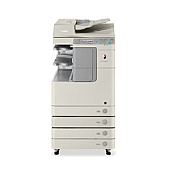
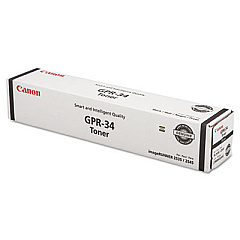
Canon imageRUNNER 2535 Black Toner Cartridges

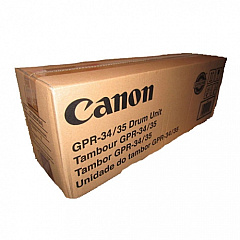
Canon imageRUNNER 2535 Drum Units

Ensure optimal performance and crisp output with genuine Canon imageRUNNER 2535 Toner Cartridges. These high-quality consumables are specifically designed for the Canon imageRUNNER 2535 multifunction printer, delivering exceptional results for businesses, educational institutions, government offices, and healthcare facilities. The Canon GPR-34 35 Black Drum Unit and Canon GPR-34 Black Toner Cartridge work seamlessly together to produce sharp, professional-grade documents with consistent quality. These reliable toner cartridges offer high page yields, reducing the frequency of replacements and minimizing downtime. By choosing authentic Canon supplies, you'll maximize your printer's efficiency and longevity while maintaining superior print quality. Whether you're printing reports, presentations, or everyday documents, Canon imageRUNNER 2535 Toner Cartridges ensure your prints make a lasting impression. Trust in Canon's commitment to excellence and experience unparalleled results with every print job.

Canon imageRUNNER 2535 Printers Supplies FAQs

  • What is the page yield of the Canon GPR-34 Black Toner Cartridge?

    The Canon GPR-34 Black Toner Cartridge typically yields approximately 23,000 pages at 5% coverage.

  • Are these toner cartridges compatible with other Canon imageRUNNER models?

    These cartridges are specifically designed for the Canon imageRUNNER 2535. Always check your printer's manual for compatible cartridge models.

  • How often should I replace the Canon GPR-34 35 Black Drum Unit?

    The drum unit typically needs replacement after processing about 75,000 pages, but this can vary based on usage and print conditions.

  • Can I use third-party toner cartridges in my Canon imageRUNNER 2535?

    While third-party cartridges may work, using genuine Canon cartridges ensures optimal performance and prevents potential damage to your printer.

  • How do I install the Canon GPR-34 Black Toner Cartridge?

    Open the front cover, remove the old cartridge, and insert the new one until it clicks into place. Refer to your printer's manual for detailed instructions.

  • Are these toner cartridges environmentally friendly?

    Yes, Canon offers a recycling program for used toner cartridges, promoting environmental sustainability.

  • What should I do if I experience print quality issues?

    First, ensure you're using genuine Canon cartridges. If issues persist, try cleaning the printer's internal components or contact Canon support.

  • Can I store unused toner cartridges for long periods?

    Yes, store unopened cartridges in a cool, dry place away from direct sunlight. Avoid extreme temperatures and humidity.

  • How can I maximize the lifespan of my toner cartridges?

    Use draft mode for internal documents, print in black and white when possible, and maintain your printer regularly to ensure efficient toner use.

  • Do these cartridges come with a warranty?

    Yes, genuine Canon toner cartridges typically come with a warranty. Check the packaging or contact the seller for specific warranty details.

Warehouse Locations

Policy & Agreement | Copyright © 1995-2026 BlueDogInk.com
