




Ads
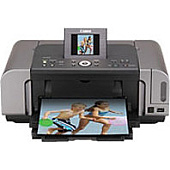
Enhance your printing experience with genuine Canon PIXMA iP6700D Ink Cartridges. This versatile printer utilizes a range of high-quality ink cartridges to deliver exceptional results for all your printing needs. Choose from the Canon CLI-8 Color Ink Pack for a comprehensive solution, or individual cartridges like the CLI-8BK Black, CLI-8C Cyan, CLI-8M Magenta, and CLI-8Y Yellow for precise color control. For photo enthusiasts, the CLI-8PC Photo Cyan and CLI-8PM Photo Magenta cartridges offer enhanced color depth and vibrancy. The Canon PIXMA iP6700D Ink Cartridges ensure crisp text, vivid graphics, and stunning photo prints. With options for both individual colors and convenient multipacks, you can easily maintain your printer's performance while minimizing waste. Trust in Canon's superior ink technology to bring your documents and images to life with professional-quality results.

Canon PIXMA iP6700D Printers Supplies FAQs

  • How long do Canon PIXMA iP6700D ink cartridges typically last?

    The lifespan of ink cartridges varies depending on usage, but on average, they can last for 200-300 pages for color cartridges and 300-400 pages for black cartridges.

  • Can I use third-party ink cartridges in my Canon PIXMA iP6700D printer?

    While third-party cartridges may work, using genuine Canon ink cartridges is recommended for optimal print quality and to maintain your printer's warranty.

  • How do I know when it's time to replace an ink cartridge?

    Your printer will display a low ink warning on its LCD screen or through your computer's print dialog when a cartridge needs replacement.

  • Are the Photo Cyan and Photo Magenta cartridges necessary for regular printing?

    While not essential for everyday documents, these cartridges enhance photo print quality with more nuanced color reproduction.

  • Can I buy ink cartridges in bulk for my Canon PIXMA iP6700D?

    Yes, you can purchase the Canon CLI-8 Color Ink Pack or Multipack for a more cost-effective solution if you print frequently.

  • How should I store unused ink cartridges?

    Store cartridges in a cool, dry place, away from direct sunlight, and in their original packaging until ready for use.

  • What's the difference between the regular and photo ink cartridges?

    Photo cartridges (PC and PM) contain lighter cyan and magenta inks for smoother color transitions and more realistic photo prints.

  • How do I properly install new ink cartridges in my Canon PIXMA iP6700D?

    Open the printer's front cover, wait for the cartridge holder to center, remove the old cartridge, insert the new one until it clicks, then close the cover.

  • Are these ink cartridges compatible with other Canon printer models?

    The CLI-8 series cartridges are compatible with several Canon printer models, but always check your printer's specifications to ensure compatibility.

  • What should I do if my printer doesn't recognize a new ink cartridge?

    Try removing and reinserting the cartridge, cleaning the cartridge contacts, or running a printer head alignment. If issues persist, contact Canon support.

Warehouse Locations

Policy & Agreement | Copyright © 1995-2026 BlueDogInk.com
