








Ads

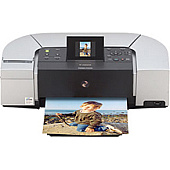
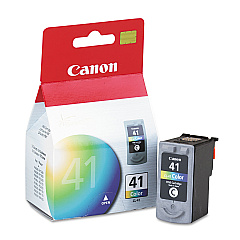
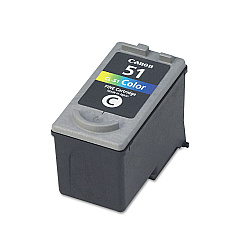
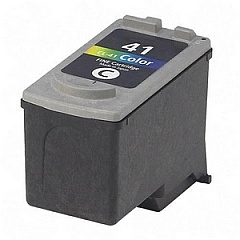
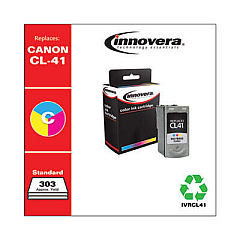
Canon PIXMA iP6220D Color Ink Cartridges

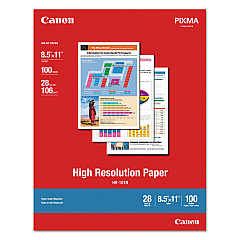
Canon PIXMA iP6220D Photo Paper

Enhance your printing experience with genuine Canon PIXMA iP6220D Ink Cartridges. These high-quality cartridges are designed to deliver exceptional results for your home, office, or educational needs. The Canon PIXMA iP6220D printer utilizes three versatile ink options: the Canon CL-41 Color Ink Cartridge for vibrant everyday prints, the Canon CL-51 Color Ink Cartridge for high-volume color printing, and the Canon CL-52 Photo Ink Cartridge for stunning, professional-quality photographs. Whether you're printing important documents, colorful presentations, or cherished memories, these cartridges ensure crisp text, vivid colors, and long-lasting prints. Compatible with various Canon PIXMA models, these cartridges are easy to install and provide reliable performance. Invest in genuine Canon PIXMA iP6220D Ink Cartridges to maximize your printer's potential and achieve outstanding results every time you print.

Canon PIXMA iP6220D Ink Cartridges FAQs

  • What ink cartridges are compatible with the Canon PIXMA iP6220D printer?

    The Canon PIXMA iP6220D printer is compatible with the Canon CL-41 Color Ink Cartridge, Canon CL-51 Color Ink Cartridge, and Canon CL-52 Photo Ink Cartridge.

  • How long do Canon PIXMA iP6220D ink cartridges typically last?

    The lifespan of ink cartridges varies depending on usage, but on average, they can last for 200-300 pages for standard cartridges and up to 500 pages for high-yield cartridges.

  • Can I use third-party ink cartridges in my Canon PIXMA iP6220D printer?

    While third-party cartridges may work, using genuine Canon ink cartridges is recommended to ensure optimal print quality and to avoid potential damage to your printer.

  • How do I install new ink cartridges in my Canon PIXMA iP6220D printer?

    To install new cartridges, open the printer cover, wait for the cartridge holder to move to the center, remove the old cartridge, insert the new one until it clicks, and close the cover.

  • What's the difference between the CL-41 and CL-51 color ink cartridges?

    The CL-51 is a high-yield cartridge that contains more ink than the standard CL-41, making it suitable for users who print frequently or in large volumes.

  • Can I use the Canon CL-52 Photo Ink Cartridge for regular document printing?

    While possible, the CL-52 is optimized for photo printing. For regular document printing, it's more cost-effective to use the CL-41 or CL-51 color cartridges.

  • How can I check the ink levels in my Canon PIXMA iP6220D printer?

    You can check ink levels through the printer's software on your computer or by pressing the 'Resume/Cancel' button on the printer itself.

  • Are Canon PIXMA iP6220D ink cartridges refillable?

    Canon does not recommend refilling cartridges as it may affect print quality and potentially damage the printer. It's best to use new, genuine Canon cartridges.

  • What should I do if my printer doesn't recognize a new ink cartridge?

    Try removing and reinserting the cartridge, ensuring it's properly seated. If the issue persists, clean the cartridge contacts and try again. If problems continue, the cartridge may be defective.

Warehouse Locations

Policy & Agreement | Copyright © 1995-2026 BlueDogInk.com
