







Ads

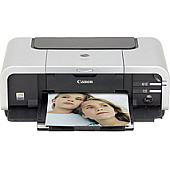
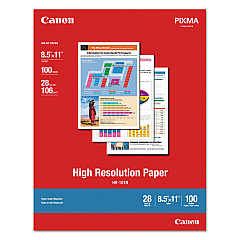
Canon PIXMA iP5200R Photo Paper

Enhance your printing experience with genuine Canon PIXMA iP5200R Ink Cartridges. These high-quality ink cartridges are designed to deliver exceptional results for your Canon PIXMA iP5200R printer. Choose from a variety of options, including the convenient Canon CLI-8 Color Ink Pack and Multipack for all your color printing needs. For crisp text and sharp black-and-white documents, opt for the Canon PGI-5BK Black Ink Cartridge or the cost-effective Twin Pack. Individual color cartridges in Cyan, Magenta, and Yellow allow for precise color management and replacement. The Canon PGI-5 CLI-8 Combo Pack offers a complete set for both color and black ink needs. With these genuine Canon ink cartridges, you'll achieve professional-quality prints with vibrant colors and sharp details, ensuring your documents and photos look their best every time.

Canon PIXMA iP5200R Ink Cartridges FAQs

  • Are these ink cartridges compatible with other Canon printers?

    These cartridges are specifically designed for the Canon PIXMA iP5200R. Always check your printer's compatibility before purchasing.

  • How long do these ink cartridges typically last?

    The lifespan of ink cartridges varies depending on usage, but on average, they can print several hundred pages.

  • Can I use third-party ink cartridges in my Canon PIXMA iP5200R?

    While third-party cartridges may work, using genuine Canon ink cartridges ensures the best print quality and printer performance.

  • What's the difference between PGI and CLI cartridges?

    PGI cartridges contain pigment-based ink for text, while CLI cartridges use dye-based ink for color printing.

  • How do I install these ink cartridges?

    Simply open your printer's ink cartridge compartment, remove the old cartridge, and insert the new one until it clicks into place.

  • Are these cartridges refillable?

    Canon does not recommend refilling these cartridges as it may affect print quality and potentially damage your printer.

  • What should I do if my printer doesn't recognize the new cartridge?

    Try removing and reinserting the cartridge. If the issue persists, clean the cartridge contacts and try again.

  • How should I store unused ink cartridges?

    Store them in a cool, dry place in their original packaging until you're ready to use them.

  • Can I buy these cartridges in bulk?

    Yes, multipack options are available for both color and black ink cartridges, offering better value for frequent users.

  • What's the shelf life of these ink cartridges?

    Unopened cartridges typically have a shelf life of 1-2 years. Always check the expiration date on the packaging.

Warehouse Locations

Policy & Agreement | Copyright © 1995-2026 BlueDogInk.com
