




Ads

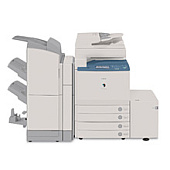
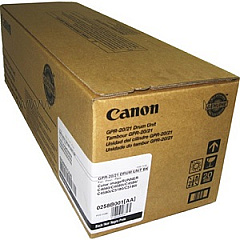
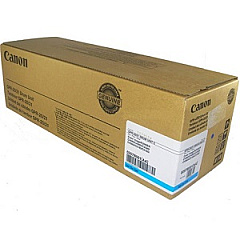
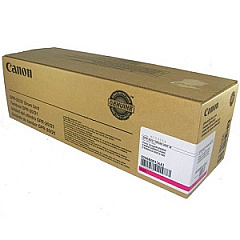
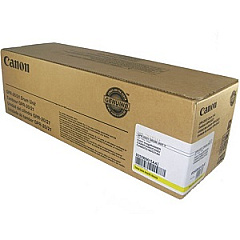
Canon imageRUNNER C4080 Drum Units

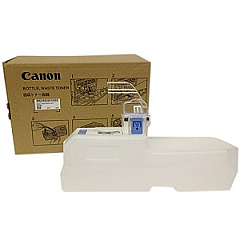
Canon imageRUNNER C4080 Waste Toner Kits

Ensure optimal performance and stunning print quality with genuine Canon imageRUNNER C4080 Toner Cartridges. This comprehensive range includes the essential Canon FM2-5383-000 Waste Toner Bottle and the high-capacity GPR-20 and GPR-21 series drum units in black, cyan, magenta, and yellow. These OEM cartridges are specifically designed for the imageRUNNER C4080, guaranteeing seamless compatibility and consistent results. Whether you're printing vibrant marketing materials or crisp business documents, these toner cartridges deliver exceptional color accuracy and sharp text. With their long-lasting performance and reliable output, you can minimize downtime and maximize productivity in busy office environments. Invest in genuine Canon supplies to protect your printer and maintain its peak efficiency throughout its lifecycle.

Canon imageRUNNER C4080 Printers Supplies FAQs

  • How long do Canon imageRUNNER C4080 toner cartridges typically last?

    The lifespan of toner cartridges varies depending on usage, but they generally last for several thousand pages. Refer to the specific yield information for each cartridge model.

  • Are these toner cartridges compatible with other Canon printers?

    These cartridges are specifically designed for the Canon imageRUNNER C4080. Always check your printer's compatibility before purchasing toner cartridges.

  • How often should I replace the waste toner bottle?

    The waste toner bottle should be replaced when indicated by your printer, typically after several thousand pages or when it reaches capacity.

  • Can I use third-party toner cartridges in my Canon imageRUNNER C4080?

    While third-party cartridges may work, using genuine Canon cartridges ensures optimal performance and protects your printer's warranty.

  • What's the difference between GPR-20 and GPR-21 cartridges?

    GPR-20 and GPR-21 are different series of cartridges that may vary in capacity or specific features. Check your printer's requirements to determine which is appropriate.

  • How do I properly store unused toner cartridges?

    Store cartridges in a cool, dry place away from direct sunlight. Keep them in their original packaging until ready for use.

  • Are these toner cartridges environmentally friendly?

    Canon offers a recycling program for used toner cartridges, promoting environmental sustainability.

  • How can I tell if my toner cartridge needs replacement?

    Your printer will typically display a warning message when toner levels are low. You may also notice a decrease in print quality.

  • Can I replace individual color cartridges, or do I need to replace all at once?

    You can replace individual color cartridges as needed, which helps reduce waste and save costs.

  • What should I do if I experience print quality issues with new cartridges?

    First, ensure the cartridges are properly installed. If issues persist, run a printer cleaning cycle or contact Canon support for assistance.

Warehouse Locations

Policy & Agreement | Copyright © 1995-2026 BlueDogInk.com
