




Ads

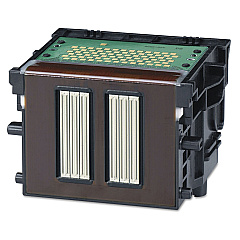
Canon imagePROGRAF IPF825 Printheads

Canon imagePROGRAF IPF825 Maintenance Kits

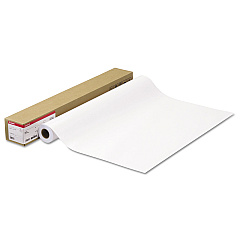
Canon imagePROGRAF IPF825 Large Format Paper

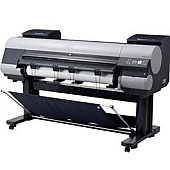
Enhance your large-format printing with genuine Canon imagePROGRAF IPF825 Ink Cartridges. This comprehensive range includes the MC-09 Maintenance Cartridge, PF-03 Print Head, and a variety of PFI-303 and PFI-703 Ink Tanks. Choose from Black, Cyan, Magenta, Matte Black, and Yellow options to achieve vibrant, professional-quality prints. The Canon imagePROGRAF IPF825 Ink Cartridges are designed to deliver exceptional color accuracy, durability, and longevity for your wide-format printing needs. Whether you're producing architectural drawings, GIS maps, or high-quality posters, these genuine Canon supplies ensure optimal performance and consistent results. Maximize your printer's potential and minimize downtime with these reliable, high-capacity ink cartridges, specifically engineered for the Canon imagePROGRAF IPF825 printer.

Canon imagePROGRAF IPF825 Ink Cartridges FAQs

  • What is the difference between PFI-303 and PFI-703 ink tanks?

    PFI-303 ink tanks have a capacity of 330ml, while PFI-703 ink tanks have a larger capacity of 700ml. Both are compatible with the Canon imagePROGRAF IPF825 printer.

  • How often should I replace the MC-09 Maintenance Cartridge?

    The replacement frequency depends on usage. Replace the MC-09 Maintenance Cartridge when prompted by the printer or when it reaches its capacity.

  • Can I use third-party ink cartridges in my Canon imagePROGRAF IPF825?

    While third-party cartridges may work, using genuine Canon ink cartridges ensures optimal print quality and prevents potential damage to your printer.

  • How long do Canon imagePROGRAF IPF825 Ink Cartridges last?

    The lifespan of ink cartridges varies depending on usage and print volume. On average, PFI-703 cartridges can last for several months of regular use.

  • What is the purpose of the PF-03 Print Head?

    The PF-03 Print Head is responsible for precisely depositing ink onto the paper. It's a crucial component for maintaining print quality and should be replaced when print quality deteriorates.

  • Are these ink cartridges compatible with other Canon printers?

    These specific ink cartridges are designed for the Canon imagePROGRAF IPF825 and may not be compatible with other printer models. Always check your printer's compatibility before purchasing.

  • How do I install new ink cartridges in my Canon imagePROGRAF IPF825?

    To install new cartridges, open the ink tank cover, remove the old cartridge, shake the new cartridge gently, remove its cap, and insert it into the appropriate slot until it clicks.

  • What's the shelf life of unopened Canon imagePROGRAF IPF825 Ink Cartridges?

    Unopened ink cartridges typically have a shelf life of 6-12 months. Always check the expiration date on the packaging and store them in a cool, dry place.

  • Can I recycle used Canon imagePROGRAF IPF825 Ink Cartridges?

    Yes, Canon offers a recycling program for used ink cartridges. Check Canon's website or contact your local Canon dealer for information on how to participate in the recycling program.

  • Why does my Canon imagePROGRAF IPF825 use both black and matte black ink?

    Black ink is used for glossy media, while matte black ink is optimized for matte papers. This dual-black system allows for versatile printing on various media types with optimal results.

Warehouse Locations

Policy & Agreement | Copyright © 1995-2026 BlueDogInk.com
