




Ads

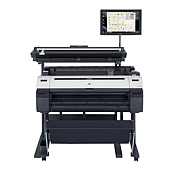
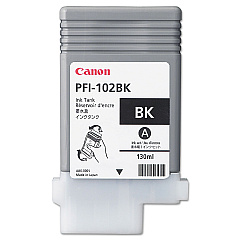
Canon imagePROGRAF iPF755 MFP Black Ink Cartridges

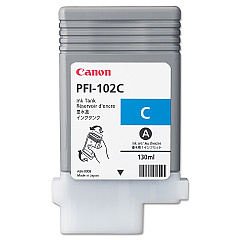
Canon imagePROGRAF iPF755 MFP Color Ink Cartridges

Canon imagePROGRAF iPF755 MFP Printheads

Canon imagePROGRAF iPF755 MFP Maintenance Kits

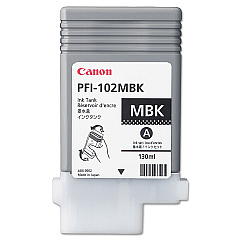
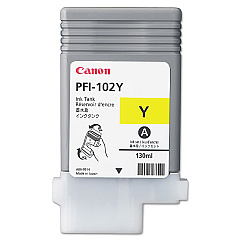
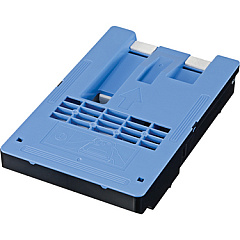
Enhance your printing experience with genuine Canon imagePROGRAF iPF755 MFP Ink Cartridges. This comprehensive set includes the MC-10 Maintenance Cartridge, PF-04 Print Head, and a range of high-quality ink tanks: PFI-102BK Black, PFI-102C Cyan, PFI-102MBK Matte Black, PFI-102Y Yellow, and PFI-104M Magenta. These cartridges are specifically designed to deliver exceptional color accuracy, sharp details, and long-lasting prints. Whether you're producing architectural drawings, GIS maps, or vibrant posters, these ink cartridges ensure professional-grade results every time. The Canon imagePROGRAF iPF755 MFP Ink Cartridges are easy to install and provide consistent, high-volume printing performance. Trust in Canon's superior technology to bring your large-format printing projects to life with stunning clarity and vivid colors.

Canon imagePROGRAF iPF755 MFP Ink Cartridges FAQs

  • How long do Canon imagePROGRAF iPF755 MFP Ink Cartridges typically last?

    The lifespan of these cartridges varies depending on usage, but they are designed for high-volume printing and can last for several hundred to a few thousand prints.

  • Are these ink cartridges compatible with other Canon printers?

    These cartridges are specifically designed for the Canon imagePROGRAF iPF755 MFP and may not be compatible with other models. Always check your printer's specifications for the correct cartridge type.

  • Can I use third-party ink cartridges instead of genuine Canon cartridges?

    While third-party cartridges may be available, using genuine Canon cartridges ensures optimal print quality and prevents potential damage to your printer.

  • How do I know when it's time to replace a cartridge?

    The printer will display a warning message when ink levels are low. You can also check ink levels through the printer's control panel or software interface.

  • What's the difference between the Black (PFI-102BK) and Matte Black (PFI-102MBK) ink tanks?

    The Black ink is used for glossy media, while the Matte Black is optimized for matte papers and produces deeper blacks on these surfaces.

  • How often should I replace the MC-10 Maintenance Cartridge?

    The maintenance cartridge should be replaced when it's full, which varies based on usage. The printer will notify you when replacement is necessary.

  • Can I recycle empty ink cartridges?

    Yes, Canon offers a recycling program for empty ink cartridges. Check their website or contact customer support for details on how to participate.

  • What should I do if a cartridge is not recognized by the printer?

    First, ensure the cartridge is properly installed. If the issue persists, clean the cartridge contacts and try again. If problems continue, contact Canon support.

  • How should I store unused ink cartridges?

    Store unused cartridges in their original packaging at room temperature, away from direct sunlight and heat sources. Avoid storing them for extended periods to ensure optimal performance.

  • Is it necessary to replace all ink cartridges at the same time?

    No, you only need to replace cartridges that are empty or low on ink. The printer uses each color independently, so you can replace them as needed.

Warehouse Locations

Policy & Agreement | Copyright © 1995-2026 BlueDogInk.com
