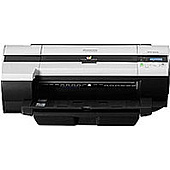
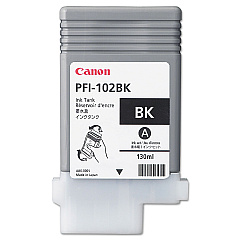
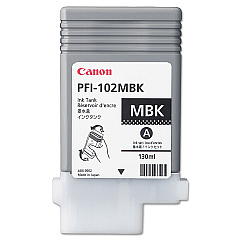
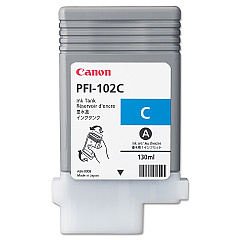
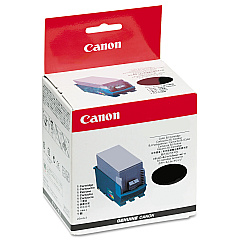
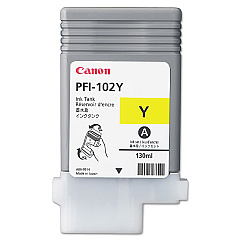
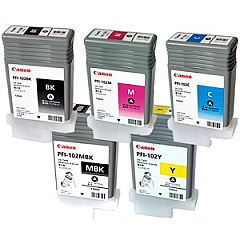






Canon ImagePROGRAF IPF500 Wide Format Printers Supplies

Ads

Canon ImagePROGRAF IPF500 Black Ink Cartridges

Canon ImagePROGRAF IPF500 Color Ink Cartridges

Canon ImagePROGRAF IPF500 Ink Set

Canon ImagePROGRAF IPF500 Printheads

Enhance your printing experience with genuine Canon ImagePROGRAF IPF500 Ink Cartridges. These high-quality supplies ensure optimal performance and stunning output for your large-format printing needs. The IPF500 utilizes a comprehensive set of ink cartridges, including the Canon PF-03 Print Head and the Canon PFI-102 Ink Tank Set. This set comprises individual tanks for Black, Cyan, Magenta, Matte Black, and Yellow, allowing for precise color reproduction and sharp text. Whether you're printing architectural designs, posters, or technical documents, these cartridges deliver exceptional results. The Canon ImagePROGRAF IPF500 Ink Cartridges are designed to work seamlessly with your printer, providing consistent, professional-grade prints. Invest in these reliable supplies to maximize your printer's potential and achieve outstanding image quality for all your projects.

Canon ImagePROGRAF IPF500 Wide Format Printers Supplies FAQs

  • How long do Canon ImagePROGRAF IPF500 Ink Cartridges typically last?

    The lifespan of the cartridges depends on usage, but they generally last for several hundred prints. Monitor your printer's ink levels for accurate replacement timing.

  • Are these ink cartridges compatible with other Canon printers?

    These cartridges are specifically designed for the Canon ImagePROGRAF IPF500. They may not be compatible with other printer models.

  • Can I use third-party ink cartridges in my Canon ImagePROGRAF IPF500?

    While third-party options exist, using genuine Canon cartridges ensures optimal print quality and prevents potential damage to your printer.

  • How do I install the Canon PF-03 Print Head?

    Refer to your printer's manual for detailed instructions. Generally, you'll need to open the printer, remove the old print head, and carefully insert the new one.

  • What's the difference between the Black and Matte Black ink tanks?

    Black ink is used for glossy media, while Matte Black is optimized for matte papers, providing deeper blacks on these surfaces.

  • How should I store unused ink cartridges?

    Store cartridges in a cool, dry place away from direct sunlight. Keep them in their original packaging until ready for use.

  • Can I refill these ink cartridges?

    Canon does not recommend refilling cartridges as it may affect print quality and potentially damage your printer.

  • How do I know when it's time to replace an ink cartridge?

    Your printer will display a warning message when ink levels are low. You can also check ink levels through the printer's control panel or software.

  • Are these ink cartridges environmentally friendly?

    Canon offers a recycling program for used cartridges, promoting environmental sustainability.

  • What should I do if my printer doesn't recognize a new ink cartridge?

    Ensure the cartridge is properly installed and seated. If issues persist, clean the cartridge contacts and try reinserting it.

Warehouse Locations

Policy & Agreement | Copyright © 1995-2026 BlueDogInk.com
