










Ads

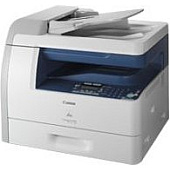
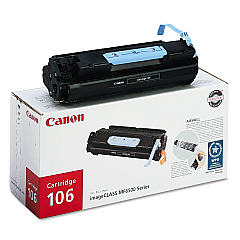
Canon imageCLASS MF6550 Black Toner Cartridges

Canon imageCLASS MF6550 Copy Paper

Canon imageCLASS MF6550 Photo Paper

Enhance your printing experience with genuine Canon imageCLASS MF6550 Toner Cartridges. These high-quality cartridges are specifically designed for optimal performance in your Canon imageCLASS MF6550 multifunction printer. The Canon 106 Black Toner Cartridge delivers crisp, professional-quality text and images, perfect for businesses, educational institutions, and healthcare facilities. With a generous page yield, these cartridges ensure cost-effective printing for high-volume environments. The easy-to-install design minimizes downtime, allowing you to maintain productivity. Trust in the reliability and consistency of genuine Canon toner to produce sharp, smudge-free documents every time. Whether you're printing reports, presentations, or everyday correspondence, Canon imageCLASS MF6550 Toner Cartridges provide the quality and efficiency you need to keep your office running smoothly. Invest in superior print quality and dependable performance with Canon's original toner cartridges.

Canon imageCLASS MF6550 Toner Cartridges FAQs

  • What is the page yield of the Canon 106 Black Toner Cartridge?

    The Canon 106 Black Toner Cartridge typically yields approximately 5,000 pages at 5% coverage.

  • Are these toner cartridges compatible with other Canon printers?

    The Canon 106 Black Toner Cartridge is specifically designed for the Canon imageCLASS MF6550 and may not be compatible with other models. Always check your printer's compatibility before purchasing.

  • How long do these toner cartridges last?

    The lifespan of the cartridge depends on usage, but under normal printing conditions, it should last several months to a year for most users.

  • Can I use third-party or refilled cartridges in my Canon imageCLASS MF6550?

    While third-party cartridges may work, Canon recommends using genuine Canon toner cartridges for optimal print quality and to protect your printer's warranty.

  • How do I install the Canon 106 Black Toner Cartridge?

    Installation is simple. Open the front cover of your printer, remove the old cartridge, and insert the new one until it clicks into place. Detailed instructions are provided in your printer's manual.

  • What should I do with my empty toner cartridges?

    Canon offers a recycling program for empty toner cartridges. You can return them to Canon or participate in local recycling initiatives.

  • How can I tell if my toner cartridge is running low?

    Your Canon imageCLASS MF6550 printer will display a low toner warning on its control panel when the cartridge is nearing the end of its life.

  • Are these toner cartridges covered by a warranty?

    Yes, genuine Canon toner cartridges come with a warranty against defects in materials and workmanship under normal use and storage.

  • Can I store extra toner cartridges for future use?

    Yes, you can store unopened toner cartridges for future use. Keep them in a cool, dry place away from direct sunlight and use them before the expiration date printed on the package.

  • How does using genuine Canon toner affect my printer's performance?

    Genuine Canon toner is formulated to work optimally with your printer, ensuring consistent print quality, reducing the risk of printer damage, and maintaining the efficiency of your device.

Warehouse Locations

Policy & Agreement | Copyright © 1995-2026 BlueDogInk.com
