










Ads

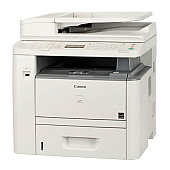
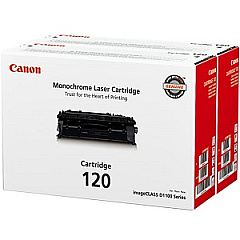
Canon imageCLASS D1350 Black Toner Cartridges

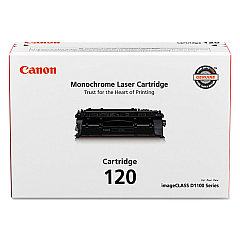
Canon imageCLASS D1350 Toner Set

Canon imageCLASS D1350 Copy Paper

Canon imageCLASS D1350 Warranty and Services

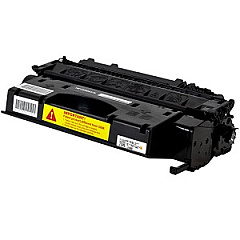
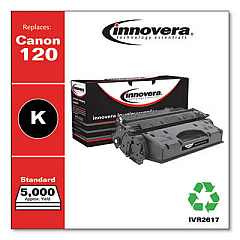
Ensure optimal performance for your Canon imageCLASS D1350 with genuine Canon imageCLASS D1350 Toner Cartridges. These high-quality toner cartridges are designed specifically for the D1350 model, delivering crisp, professional-grade prints for your business, educational, governmental, or healthcare needs. Choose between the Canon 120 Black Toner Cartridge for standard printing requirements or opt for the Canon Cartridge 120 Value Pack to maximize cost-efficiency for high-volume printing. These cartridges offer exceptional page yield, consistent print quality, and reliable performance, minimizing downtime and maintenance costs. By using genuine Canon toner, you'll protect your printer's warranty while ensuring the best possible output for all your documents, from everyday correspondence to critical reports. Invest in Canon imageCLASS D1350 Toner Cartridges to maintain the superior print quality and reliability that Canon is known for.

Canon imageCLASS D1350 Toner Cartridges FAQs

  • What is the page yield for the Canon 120 Black Toner Cartridge?

    The Canon 120 Black Toner Cartridge typically yields approximately 5,000 pages at 5% coverage.

  • Is the Canon Cartridge 120 Value Pack compatible with the imageCLASS D1350?

    Yes, the Canon Cartridge 120 Value Pack is fully compatible with the Canon imageCLASS D1350 printer.

  • How often should I replace the toner cartridge in my Canon imageCLASS D1350?

    Replacement frequency depends on usage, but typically when print quality diminishes or when the printer indicates low toner levels.

  • Can I use third-party toner cartridges in my Canon imageCLASS D1350?

    While third-party cartridges may work, using genuine Canon toner cartridges ensures optimal print quality and protects your printer's warranty.

  • What's the difference between the standard cartridge and the value pack?

    The value pack typically includes multiple toner cartridges at a discounted price, offering better value for high-volume printing needs.

  • How do I install a new toner cartridge in the Canon imageCLASS D1350?

    Open the front cover, remove the old cartridge, unpack the new one, and insert it until it clicks into place. Close the cover to complete installation.

  • Are these toner cartridges recyclable?

    Yes, Canon offers a recycling program for used toner cartridges to minimize environmental impact.

  • Can I store unused toner cartridges for later use?

    Yes, store unopened cartridges in a cool, dry place away from direct sunlight. Use within the expiration date for best results.

  • Does using genuine Canon toner affect print speed?

    Genuine Canon toner is optimized for the imageCLASS D1350, ensuring consistent print speeds as specified by the printer's capabilities.

  • What should I do if I experience print quality issues with new toner?

    First, ensure the cartridge is properly installed. If issues persist, try printing a test page or cleaning the printer as per the user manual instructions.

Warehouse Locations

Policy & Agreement | Copyright © 1995-2026 BlueDogInk.com
