







Ads

Canon i900D Black Ink Cartridges

Canon i900D Color Ink Cartridges

Canon i900D Photo Paper

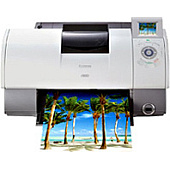
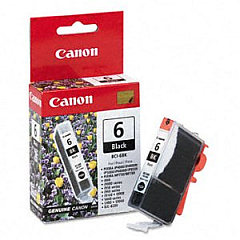
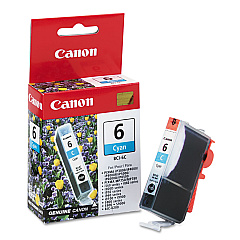
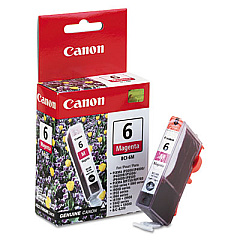
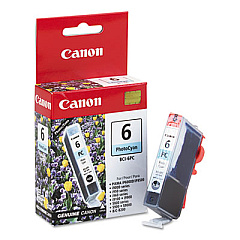
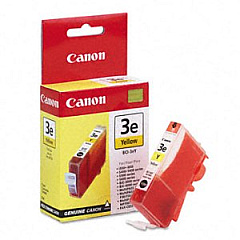
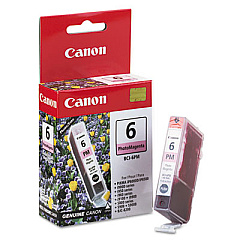
Enhance your printing experience with genuine Canon i900D Ink Cartridges, designed to deliver exceptional quality and performance. This comprehensive set includes six individual cartridges: BCI-6Bk Black, BCI-6C Cyan, BCI-6M Magenta, BCI-6PC Photo Cyan, BCI-6PM Photo Magenta, and BCI-6Y Yellow. Each cartridge is precision-engineered to work seamlessly with your Canon i900D printer, ensuring crisp text, vibrant colors, and stunning photo prints. The advanced ink formulation provides fade-resistant results, preserving your memories and important documents for years to come. With these reliable Canon i900D Ink Cartridges, you'll enjoy consistent, professional-grade output for all your printing needs, whether it's business reports, school projects, or cherished family photos. Maximize your printer's potential and achieve superior results with every print job using these genuine Canon ink cartridges.

Canon i900D Ink Cartridges FAQs

  • How long do Canon i900D Ink Cartridges typically last?

    The lifespan of Canon i900D Ink Cartridges varies depending on usage, but they generally last for about 280-300 pages per cartridge.

  • Are these ink cartridges compatible with other Canon printer models?

    These cartridges are specifically designed for the Canon i900D printer. Always check your printer's manual for compatible cartridge models.

  • Can I use third-party ink cartridges in my Canon i900D printer?

    While third-party cartridges may work, using genuine Canon ink cartridges ensures optimal print quality and prevents potential damage to your printer.

  • How do I install the ink cartridges in my Canon i900D printer?

    Open the printer's front cover, wait for the cartridge holder to move to the center, then gently push each cartridge into its designated slot until it clicks into place.

  • What should I do if my printer doesn't recognize the new ink cartridge?

    Try removing and reinserting the cartridge, ensuring it's properly seated. If the issue persists, clean the cartridge contacts and try again.

  • How can I extend the life of my Canon i900D Ink Cartridges?

    Print only when necessary, use draft mode for non-critical documents, and keep your printer on to prevent ink from drying out.

  • Are these ink cartridges environmentally friendly?

    Canon offers a recycling program for used ink cartridges, promoting environmental sustainability.

  • Can I buy individual color cartridges or do I need to purchase the entire set?

    You can buy individual color cartridges as needed, allowing you to replace only the colors that are running low.

  • How should I store unused ink cartridges?

    Store unused cartridges in a cool, dry place in their original packaging to prevent the ink from drying out.

  • What's the difference between the regular and photo ink cartridges?

    Photo ink cartridges (PC and PM) are designed to produce more vibrant and detailed photo prints, while regular cartridges are for general printing tasks.

Warehouse Locations

Policy & Agreement | Copyright © 1995-2026 BlueDogInk.com
