







Ads

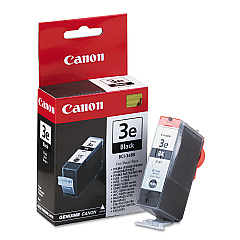
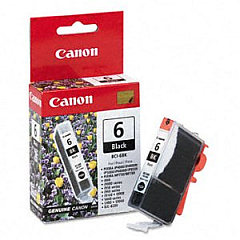
Canon i860 Black Ink Cartridges

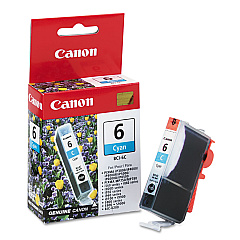
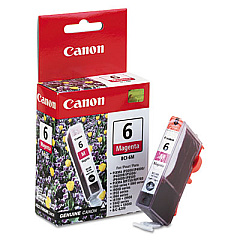
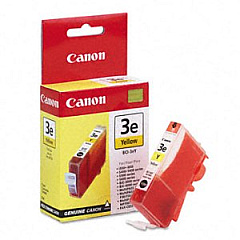
Canon i860 Color Ink Cartridges

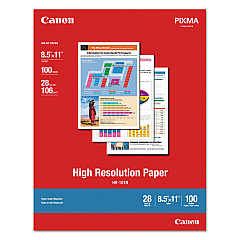
Canon i860 Photo Paper

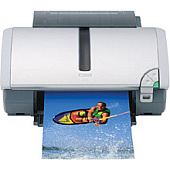
Enhance your printing experience with genuine Canon i860 Ink Cartridges, designed to deliver exceptional quality and performance. This versatile printer utilizes a range of cartridges to produce stunning results across various applications. The Canon BCI-3eBk Black Ink Cartridge ensures crisp text and sharp lines, while the Canon BCI-6Bk Black Ink Cartridge provides depth and contrast in photos. For vibrant color printing, rely on the Canon BCI-6C Cyan, BCI-6M Magenta, and BCI-6Y Yellow Ink Cartridges. These high-quality inks work seamlessly with your Canon i860 printer to produce professional-grade documents and photos with exceptional clarity and color accuracy. Whether you're printing important business documents, school projects, or cherished memories, Canon i860 Ink Cartridges deliver consistent, long-lasting results that meet the demands of both home and office environments.

Canon i860 Ink Cartridges FAQs

  • How long do Canon i860 Ink Cartridges typically last?

    The lifespan of Canon i860 Ink Cartridges varies depending on usage, but they generally last for 300-400 pages per cartridge.

  • Are these ink cartridges compatible with other Canon printers?

    While these cartridges are specifically designed for the Canon i860, they may be compatible with some other Canon printer models. Always check your printer's compatibility before purchasing.

  • Can I use third-party ink cartridges in my Canon i860 printer?

    While third-party cartridges may work, using genuine Canon ink cartridges ensures optimal print quality and prevents potential damage to your printer.

  • How do I install Canon i860 Ink Cartridges?

    Open the printer's front cover, wait for the cartridge holder to move to the center, remove the old cartridge, and insert the new one until it clicks into place.

  • What's the difference between BCI-3eBk and BCI-6Bk black cartridges?

    The BCI-3eBk is a larger capacity black cartridge for text printing, while the BCI-6Bk is used for photo printing and provides deeper blacks in images.

  • How can I extend the life of my Canon i860 Ink Cartridges?

    To extend cartridge life, print in draft mode when possible, avoid leaving the printer idle for long periods, and store unused cartridges in a cool, dry place.

  • Are Canon i860 Ink Cartridges recyclable?

    Yes, Canon offers a recycling program for used ink cartridges. Check their website for details on how to participate.

  • How do I know when it's time to replace my ink cartridges?

    Your Canon i860 printer will display a low ink warning on its LCD screen or through your computer when cartridges need replacement.

  • Can I buy Canon i860 Ink Cartridges in bulk?

    Yes, many retailers offer multi-packs or value packs of Canon i860 Ink Cartridges, which can be more cost-effective for frequent users.

  • What should I do if my printer doesn't recognize a new ink cartridge?

    Try removing and reinserting the cartridge, cleaning the cartridge contacts, or running the printer's alignment and cleaning utilities. If issues persist, contact Canon support.

Warehouse Locations

Policy & Agreement | Copyright © 1995-2026 BlueDogInk.com
