







Ads

Canon i850 Black Ink Cartridges

Canon i850 Photo Paper

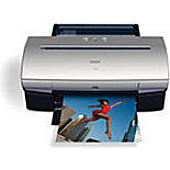
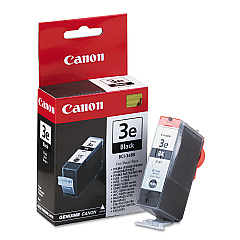
Enhance your printing experience with genuine Canon i850 Ink Cartridges, designed to deliver exceptional quality and reliability. The Canon i850 printer utilizes the high-performance Canon BCI-3eBk Black Ink Cartridge, ensuring crisp text and sharp images for all your professional and personal printing needs. These cartridges are engineered to work seamlessly with your Canon i850 printer, providing consistent results and optimal print quality. Whether you're printing important business documents, school assignments, or vibrant photos, Canon i850 Ink Cartridges offer superior color accuracy and long-lasting prints. With their easy installation and high page yield, these cartridges are a cost-effective solution for both home and office use. Trust in the genuine Canon quality to bring your ideas to life with vivid, smudge-resistant prints that make a lasting impression.

Canon i850 Ink Cartridges FAQs

  • How long do Canon i850 Ink Cartridges typically last?

    The lifespan of Canon i850 Ink Cartridges varies depending on usage, but they generally last for about 300-400 pages for black ink cartridges.

  • Are compatible ink cartridges available for the Canon i850 printer?

    Yes, compatible ink cartridges are available, but using genuine Canon cartridges is recommended for optimal print quality and printer performance.

  • How can I tell if my Canon i850 Ink Cartridge is running low?

    Your printer software will typically alert you when ink levels are low. You can also check ink levels through the printer's control panel or by printing a test page.

  • Can I use Canon i850 Ink Cartridges in other Canon printer models?

    Canon i850 Ink Cartridges are specifically designed for the i850 model. While they may fit some other Canon printers, it's best to check your printer's compatibility before use.

  • How should I store unused Canon i850 Ink Cartridges?

    Store unused cartridges in a cool, dry place, away from direct sunlight. Keep them in their original packaging until ready for use to prevent drying out.

  • What should I do if my Canon i850 printer doesn't recognize the new ink cartridge?

    Try removing and reinserting the cartridge, ensuring it's properly seated. Clean the cartridge contacts and try again. If issues persist, consult your printer manual or contact Canon support.

  • Are Canon i850 Ink Cartridges refillable?

    While it's possible to refill these cartridges, it's not recommended by Canon as it may affect print quality and potentially damage your printer.

  • How do I properly dispose of empty Canon i850 Ink Cartridges?

    Many office supply stores offer recycling programs for ink cartridges. You can also check with your local recycling center or participate in Canon's cartridge recycling program.

  • Can I use Canon i850 Ink Cartridges after the expiration date?

    It's best to use cartridges before their expiration date for optimal performance. Expired cartridges may still work but could produce lower quality prints or cause printer issues.

  • How do I troubleshoot print quality issues with my Canon i850 Ink Cartridges?

    Start by running a printer head cleaning cycle. If issues persist, check for clogged nozzles, ensure you're using genuine Canon cartridges, and verify that the cartridges are properly installed.

Warehouse Locations

Policy & Agreement | Copyright © 1995-2026 BlueDogInk.com
